

HomeCengage Read
Cengage Read

Cengage Read

Everyone
Rating
V1.1.0
Version
100k+
Installs
2.20
240 + Reviews
1
47%
2
14%
3
9%
4
6%
5
24%

Review By AppsWm

Cengage ReadCengage ReadCengage ReadCengage Read

Efficiency Tools

Accessing educational materials efficiently is crucial for students. This app provides offline access, allowing users to download content and study without an internet connection. This feature significantly reduces wasted time spent searching for Wi-Fi or dealing with connectivity issues, enabling focused study sessions.

Offline Access

Download textbooks and study materials for on-the-go access, eliminating dependence on internet connectivity.

Time-Saving Features

The search functionality within the app streamlines the process of finding specific information within textbooks. Users can quickly locate relevant content, saving valuable time that would otherwise be spent manually searching through pages.

  • Quick content search
  • Offline availability of content
  • Initial download time for large textbooks

Workflow Enhancers

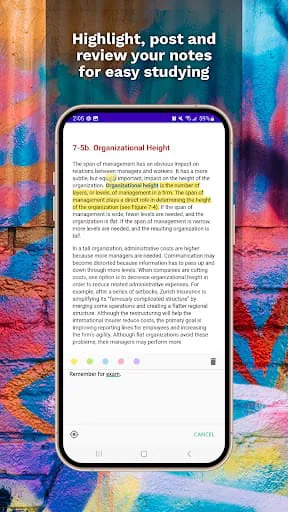
Note-taking and highlighting tools integrated within the app enable users to actively engage with the material and create personalized study guides. These features enhance the learning workflow by allowing students to annotate directly within the textbook, fostering a more interactive and efficient study process.

Highlighting Tools

Digital highlighting to mark important sections of text for later review.

Note-Taking

Integrated note-taking capabilities to record key concepts and personal insights.

Productivity Boosters

By consolidating textbooks and study materials into a single digital platform, this app eliminates the need for physical textbooks, reducing clutter and improving organization. This streamlined approach promotes a more focused and productive learning environment.

Overall Productivity Impact

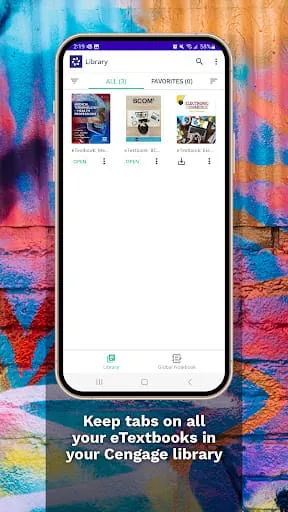
The app centralizes learning resources, contributing to a more organized and efficient study process.

Process Optimizers

The ability to customize learning paths and content preferences allows students to tailor their study experience to their individual needs. This personalized approach optimizes the learning process by ensuring that students focus on the material that is most relevant to their goals.

Feature Benefit
Customizable Learning Paths Tailored learning experience
Integrated Note-Taking Enhanced study workflow

Final Verdict

This app offers a range of features designed to enhance productivity for students. From offline access and search functionality to note-taking tools and personalized learning paths, it provides a valuable platform for efficient learning.


Description

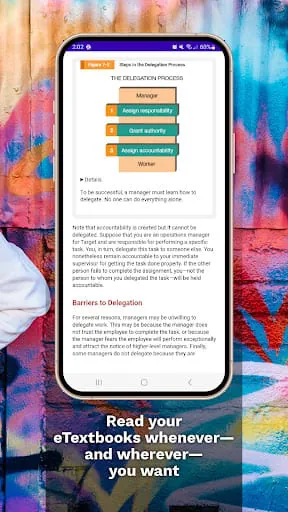
The Cengage Read app offers students the convenience of studying their eTextbooks on the go. With both online and offline mobile access, students can access their study materials whenever and wherever they choose. The app allows users to take notes, highlight important information, and bookmark key sections for easy reference. In addition to these features, the Cengage Read app also provides tools such as text-to-speech functionality, which reads the text out loud for auditory learners. Students can easily search for specific keywords within the eTextbook and navigate to different pages using the table of contents. To begin using the app, students simply need to log in with their Cengage username and password. Overall, the Cengage Read app offers a user-friendly and versatile platform for students to engage with their eTextbooks. By providing a range of features such as note-taking, highlighting, text-to-speech, and easy navigation tools, the app enhances the studying experience for users. With the ability to access study materials both online and offline, students have the flexibility to study at their own pace and in their preferred learning environment.

All Versions

V1.1.0

Updated: Unknown

28.51 MB

Summary Of User Reviews

Angela Beaver
Angela Beaver
July 9, 2025
I like that the tool reads without having to manually advance the page. I like the option to increase or decrease the speed. I do find moving to a SPECIFIC paragraph or sentence is impossible, which is extremely frustrating. I have also found that if your phone "goes to sleep" the reader immediately starts pausing between sentences. fairly long, definitely noticeable pauses. So I have to keep my phone "awake" to avoid that. This would be perfect if not for those two functionality issues.
Carmen R.
Carmen R.
October 19, 2024
I... really wish I wasn't forced to go on here. It glitches and has issues with the aloud reading (useful when I'm busy). Thought it'd be what I needed since the other app glitched horribly with reading aloud (edit: primarily with tablets and mobile device). Well..Given the option for online reading...I chose it after trying this..but then it shows me nothing when I choose it. Not mad, cause I'll find a way..but I'm just frustrated.
Svitlana Kononets
Svitlana Kononets
January 16, 2026
The navigation bar of my phone (I have Samsung Galaxy S25+) overlaps with the navigation of the app, which makes it impossible to access the content menu or the speech option. I looked around the entire app to see if there was a way to change that but I can't figure out what to do. I mean isn't it crazy for the developers to make the buttons all the way at the bottom knowing that is where all Samsung phones have their navigation bar?