Creative possibilities
This app opens doors to a world of creative exploration for toddlers, turning early learning into an artistic adventure.
Interactive Word Art
The app allows children to create simple word art through drag-and-drop interfaces, combining visuals with phonics. This bridges learning with creative expression.
Expression tools
It provides simple but effective expression methods that can ignite a child's enthusiasm for learning.
-
Sound Association:
Linking sounds with images and words.
-
Interactive Elements:
Touch-based activities respond to interaction.
Style options
While not offering advanced style customizations, the app utilizes vibrant colors and playful animations to engage young learners.
Visual Engagement
The aesthetic choices prioritize clarity and fun, ensuring children remain focused and motivated.
Personalization features
The app allows limited personalization, focusing more on delivering curated content. However, the interactive nature can be a form of personalization, as each child's interaction is unique.
-
Difficulty Levels
-
Content Preferences
Artistic potential
The app unlocks potential by encouraging creativity through learning and offering interactive content.
Pros:
-
Encourages early vocabulary building.
-
Features interactive and visually stimulating content.
Cons:
-
Limited personalization options.
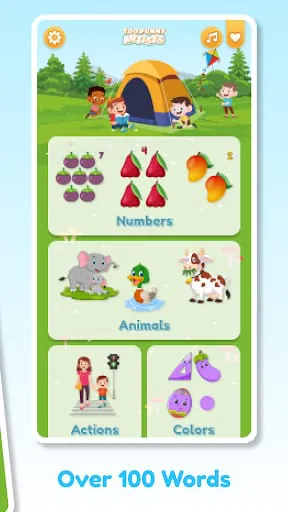
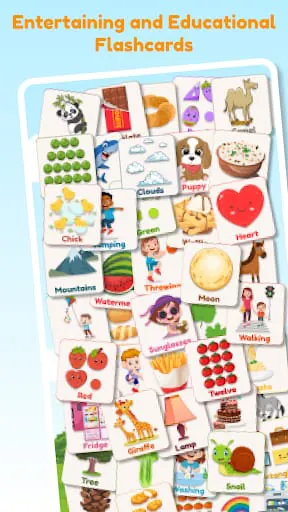
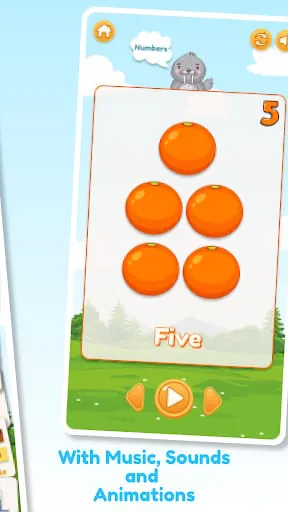
First Words – 24 Months Plus is an educational game that aims to teach babies and toddlers everyday vocabulary. The game is designed to be fun and engaging for children between the ages of 1 to 4. It is easy to use, with users simply selecting a category, reviewing flashcards, and interacting with animations. The app features 9 kid-friendly categories and over 100 words, all in English.
The flashcard teaching method is ideal for babies, toddlers, and children, allowing them to learn at their own pace. The game helps children build a strong vocabulary, learn language and pronunciation skills, and have fun while doing so. Parents can play and learn together with their toddlers, making it a great bonding experience.
The categories in the game include Animals, House Items, Bathroom and Bathing, Vegetables, Fruits, Food, Body, Outside, Vehicles, Clothes, Verbs (Actions), and Emotions. The game features high-quality large pictures, fun animations and sounds, and engaging voice-overs. If you and your toddler enjoy the game, the developers encourage you to rate it 5 stars and provide feedback. If you have any questions or suggestions, you can email the developers at
[email protected]
.
Overall, First Words – 24 Months Plus is a great educational game for young children that makes learning fun and engaging. With its easy-to-use interface, flashcard teaching method, and variety of categories, it is an excellent tool for building a strong vocabulary and language skills.