
Advertisement
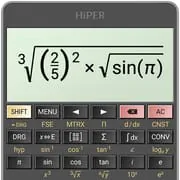
HiPER Scientific Calculator
4.70
6.1k+ Reviews4.70
6.1k + Reviews
1
3%
2
1%
3
2%
4
13%
5
82%
User Reviews

Arizona Coleman
★★★★★
January 10, 2026It is nice; the only free calculator I have used that allows both fractional and temporal calculations. Both I perform rather frequently. I like the interface as well, even though it is not what is shown in the screenshots. I do not even mind the ads, as unobtrusive as they are, although I very well may end up purchasing the full version anyway. Oh, there is no warning about a free trial period, if there is such a period.

Dave Brownburg
★★★★★
December 2, 2025This is a very nice calculator for general work. The pro version is even better. I give 6⭐ rating. Thanks developers. This is a great calculator! There is one feature that I saw on another calculator that would be very nice if it could be incorporated in this one on the graphics section. Say a function is displayed on the graph. If I pressed on a spot it would show the value and if I moved it would show the next values as I moved my hand. Thanks again guys you do a great job! 7th⭐

reza mowla
★★★★★
May 5, 2020Before a few times I had used it. As I remembered it was good. Of course it could be improved it a lot. But if you desided to improve it, try to make it user frendly as much up possible. Since these days whatever a person put time on learning to work with digital devices and programs, always he/she is behind. It is endless. Also, write a few solved problems.
Advertisement

A Google user
★★★★★
March 13, 2019Coming from someone in a College Calculus class, this update is a lifesaver. Whether you are looking for something to just check that you got the right derivative, or if you need a large amount done, this is the best calculator out there, and definitely worth the Pro version. Fair warning, you may be slightly confused with the UI if you are used to more classic calculators, but this is ultimately more effective. Can't wait to see this continue to grow and render $100+ calculators obsolete!
A Google user
★★★★★
October 21, 2019Fantastic sci calculator. Only wish it gave you the ability to reassign buttons. For instance, I use the constant for speed of light often, but have to go into a menu to select it. Although it does allow me to favorite constants that I use often, it would be even handier if I was able to reassign an underused button on the main screen for "c"(speed of light). Besides that minor complaint, if you're wondering which sci calc app to get, you won't go wrong with this one.

Ruth Farber
★★★★★
March 7, 2021Like the calculator. Don't like the flashing/blinking ads at the top of the screen that change every two seconds. Too distracting. I don't mind ads. But this ad (a turbotax ad) was blinking red and white every two seconds. I'm not exaggerating. It really flashed between bright red and white every two seconds. Because the ad is placed directly above the input box, and was alternating bright red and white, it overshadowed the app and made it unusable for me. There was also no obvious way to pay for the app to remove the ads - the full screen was a calculator and I didn't see any way to see how much it would cost to purchase the app or a method to do so once it was installed.
A Google user
★★★★★
January 19, 2019Well worth the few $ to upgrade to pro after the trial. This has to be the most robust scientific calculator app I have tried. The ability to see the expression on screen in 'pretty print' the way it would be in a book or handwritten lets you verify that it is indeed solving the problem you intended and there is no syntax error preventing getting the right solution. Extremely useful several days a week.

Jeremiah Smith
★★★★★
June 18, 2022Great Calculator, not that I'm an expert. I didn't think it had rounding functions, but it does! I don't know how long they've been there. The graphing part of the calculator is okay, it would be nice if there were fields to set the camera position though. The demos scientific calculator doesn't have all the rounding functions, nor can it save, the graphing one can but not without an account. This calculator will let you export to a TXT document. 5/5★ from this layman.

budd levin
★★★★★
October 31, 2020Great app. The free version is terrific but the Pro Version is amazing. It's one of the few apps that I felt obligated to pay for the upgrade, it's that good. It's versatility is substantial. Here're only a few features: complex numbers calculations, calculus derivatives and integrals, multiple number formats, full scientific calculator functions. All that seems missing for college undergrads is vector and matrix arithmetic.
A Google user
★★★★★
April 3, 2020This has it all! A simple calculator that shows the complete equation. A scientific calculator that allows many functions. Three different modes of calculation, including the good old reverse polish from the HP calculators that I learned. Very simple interface. I don't know what else I would possibly need. Oh, let me mention the layout for tablets is an awesome full-blown calculator! The keyboard layout makes good sense. I've had a bunch of other calculators that just did not get it. Great job!

J Gallagher
★★★★★
February 28, 2024Outstanding Calculator App! Not only does it let you choose between PEMDAS and PJEMDAS order of operations (which it calls "WEAK" and "STRONG"), but the [more...] button generated the most beautiful analytic geometric 3D graphs. It even has themes to look like my old HP (or Sharp, Casio, etc). Best $4 bucks I've spent on an app...definitely worth getting rid of the ads. Also, can I say being able to change the font size is a godsend...most calculator UIs are way too hard to read!

Randy
★★★★★
December 23, 2023Obviously, with anything math related, using the correct order of operations is critical if you desire the correct result. While MANY calculator apps often get the order of ops. wrong, this one never, ever fails to get them right. I've found through testing it with hard equations, as well as from using it on a daily basis, HiPER Scientific Calculator is always ready w/ the right answer regardless of whatever formula or equation you throw at it. Bonus: Aesthetically pleasing themes

Stephen Worden
★★★★★
October 19, 2022Excellent scientific calculator. Memories, parenthesis, running calculation display, trig functions, interest calculations, on and on -- this app does everything I ask. I've been using the free version for years. Engineers, students and mathematicians may need the Pro version for graphing, etc. The ad version works fine for me. 100% stable.

Saoud FS
★★★★★
December 4, 2020Best calculator out there on the app store. I've used it consistently when I'm studying for exams on the go. It has a clear and simple hassle free interface, You won't feel like you're using a mobile app, but an actual scientific calculator. The keys, response and display are tailored to make sure regular scientific calculator users feel at home.
A Google user
★★★★★
October 23, 2018I loved this calculator app - UNTIL TODAY - when I went to use it, and it had multiple keys blacked out, including the "8" and "9" keys, and all of row above them. Never had a problem with it before, but even as a free user, I expect not to have basic key functions disabled. The calculator was useless at that point. Lesson to the app makers: DON'T DO THIS!! I would have rated you five stars before.

Kim Chi
★★★★★
February 12, 2023Equals doesn't repeat the last operator and operand as it does in many simple calculators. In decimal (base 10) there is an 'Ans' 2nd option to work around that but it can't be applied to base 2, 8 or 16 (binary, octal or hexadecimal). Seems like a really basic thing to be able to repeat an operation on a previous answer in any number base.
A Google user
★★★★★
February 16, 2020This is a representation of a really great programmable calculator. It doesn't have the programming part yet, or memory registers, bet it's starting to really shape up. I wish I could put out a bug report. If I put in (tan (a)) x b, I don't get the same answer as when I put in b x (tan (a)) even if I double the parentheses.

Mufaddal Motiwala
★★★★★
August 13, 2022honestly a great app, probably the best in the app store. Been using it for years throughout school and now at work, worth paying for the Pro! a small critique to the devs, try to make it more clear how to permanently set the default view type for results. I've been a power user for YEARS and it took me a long time to figure out that it's not in the settings. Counter intuitive!
A Google user
★★★★★
September 8, 2019Recently updated it and lost the ability to take an answer and quickly use it in another operation. For example, now to take a calculated value and find its square root (or punch it into a trig finction), you have to either memorize the number or save it in the calculators memory, and then hit the function you want to do, then enter the value. Real pain in the ass for an otherwise solid calculator. Update: changed to five stars following response from developer that addressed my complaint.

Valentino
★★★★★
December 8, 2024Best scientific calc app I've come across! It supports scientific notation for calculations across orders of magnitude (surprisingly omitted feature in other apps). I'm an electrical engineer, and my teammates have installed this as well for reference in the lab. Free version does have a strip ad across the top, not too bad for the features it provides
You Might Like

Read With Akili - So Many Diff
100k+
4.90

Scientific calculator plus 991
10M+
4.90

HelloChinese: Learn Chinese
5M+
4.90

Citizen Now: US Citizenship
100k+
4.90

Dhikr & Dua
500k+
4.90

Doh A Tu (Learn With Us)
10k+
4.90

Ethical Hacking University App
500k+
4.90

The Happy Child Parenting App
500k+
4.90

CDL Prep Test 2024
500k+
4.90

Speak English with Loora AI
5M+
4.90