

Information Analysis
Section A: Common Information Analysis
1. User Reviews and Experience
-
Overall User Satisfaction:
Mixed, with some users reporting success in recovering files, while others express frustration with ads and the app's effectiveness.
-
Common User Feedback:
Users appreciate the ease of use and the app's potential to recover various file types. However, frequent advertisements and perceived ineffectiveness are common complaints.
-
User Rating Distribution:
Not explicitly detailed, but user comments suggest a range of experiences from positive to negative.
-
Most Appreciated Features:
The 3-step recovery process, dual scan modes (Quick and Deep), and local processing for privacy are highlighted.
-
Common Complaints:
Excessive ads, the app sometimes showing existing files instead of deleted ones, and concerns about recovery success rates are frequently mentioned.
2. Technical Performance
-
App Size and Requirements:
Described as lightweight with a small app size. Requires Android 7.0+ and file access permission.
-
Battery Consumption:
Not explicitly detailed, but some competing apps are noted to use system resources during scans.
-
Loading Speed:
Quick scan mode is noted to be fast, with some user experiences indicating slow scanning overall.
-
Stability:
Some users report issues with the app freezing or requiring restarts.
-
Offline Capabilities:
Emphasizes 100% on-device processing, indicating it functions offline.
3. Updates and Maintenance
-
Update Frequency:
The app has seen frequent updates, with versions released in late 2025 and early 2026.
-
Latest Version Changes:
Specific changes are not detailed, but updates suggest ongoing development and bug fixes.
-
Bug Fix Response Time:
Developers have responded to user feedback, indicating some level of support.
-
Developer Support Quality:
Mixed, with some users reporting positive interactions and developers responding to issues.
4. Security and Privacy
-
Data Collection Practices:
The developer states no personal or contact data is collected and all processing is on-device.
-
Privacy Policy Clarity:
Policies emphasize privacy-first design, on-device processing, and transparent permissions.
-
Security Measures:
Uses AES-256 encryption for local processing.
-
Permission Requirements:
Requires file access permission for scanning and broad access to external storage.
-
Data Storage Methods:
All recovery operations are performed locally on the device.
5. Monetization Strategy
-
Pricing Model:
The app is free to download and use, but may rely on advertisements. Some competing apps offer free versions with limitations and paid upgrades.
-
In-app Purchases:
Not explicitly detailed, but ads are a prominent monetization method.
-
Subscription Options:
Not explicitly detailed.
-
Free vs Paid Features:
The core recovery functionality appears to be free, with ads possibly being the primary monetization.
-
Value for Money:
Mixed, given the presence of ads and varying user success rates.
6. Market Position
-
Competitor Comparison:
Competes with a wide range of file recovery apps, some of which offer more advanced features or are better established.
-
Market Share:
Growing trends noted in 2026 among Tools apps.
-
Unique Selling Points:
Focus on a simple, privacy-first, on-device recovery process. Supports over 500 file formats.
-
Target Audience Fit:
Aimed at users who need to recover various file types easily and privately, without technical expertise.
Section B: Category-Specific Analysis (Tool Apps)
1. Core Functionality
-
Feature Completeness:
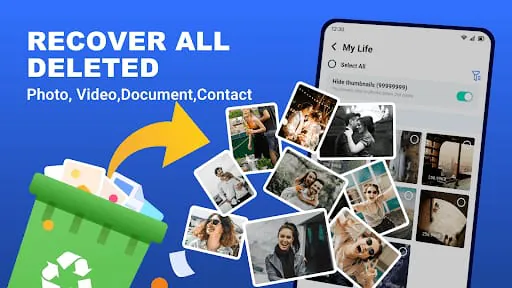
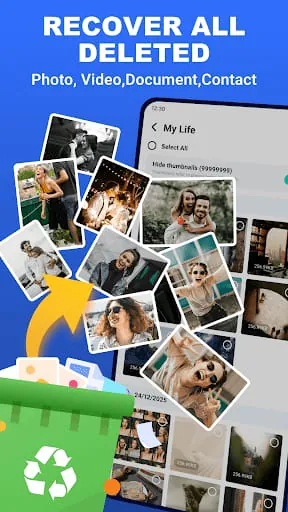
Recovers photos, videos, audio, documents, and contacts from various scenarios like accidental deletion and system crashes.
-
Tool Accuracy:
User experiences vary, with some successfully recovering files and others finding it ineffective or only showing existing files.
-
Processing Speed:
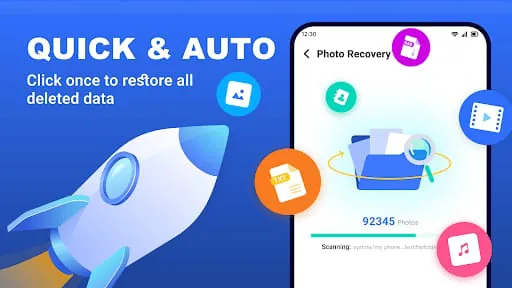
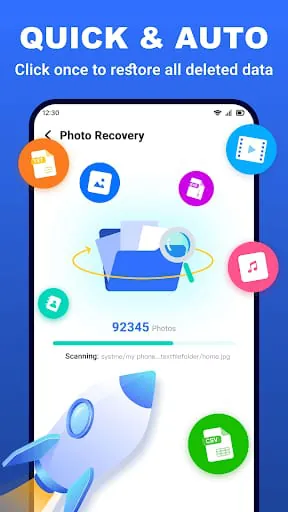
Offers a Quick Scan (seconds) and Deep Scan. Some users report slow overall scanning.
-
Batch Operations:
Supports batch recovery of multiple files.
-
Automation Capabilities:
The recovery process is largely automated after initiating a scan.
-
Advanced Features:
Dual scan modes, support for over 500 file formats, and smart preview are key features.
2. User Interface
-
Layout Efficiency:
Described as minimal UI, easy for everyone, and a 3-step recovery process.
-
Navigation Logic:
Simple, intuitive, with a clear flow from scan to restore.
-
Customization Options:
Limited, focusing on the core recovery function.
-
Quick Access Tools:
The main screen likely provides direct access to scan and recovery options.
-
Gesture Support:
Not explicitly detailed.
-
Widget Support:
Not explicitly detailed.
3. Data Management
-
File Format Support:
Supports over 500 formats, including common photos (JPEG/PNG/RAW), videos (MP4/MOV/MKV), audio (MP3/WAV/AAC), and documents (PDF/DOCX/XLSX/ZIP).
-
Import/Export Options:
Focuses on recovery and restoration to the device.
-
Backup Features:
No explicit backup feature mentioned, but recovery itself serves as a form of backup for deleted files.
-
Cloud Integration:
Explicitly states no cloud uploads; processing is on-device.
-
Storage Efficiency:
The app itself is lightweight. Recovered files are stored on device storage.
-
Data Security:
Emphasizes local processing and privacy guarantees.
4. Integration Capabilities
-
Third-party Integration:
No specific third-party integrations are highlighted beyond general file system access.
-
API Availability:
Not detailed.
-
Share Options:
Recovered files can presumably be shared via standard Android sharing mechanisms.
-
Cross-platform Sync:
Not applicable as it's a mobile application.
-
Plugin Support:
Not detailed.
-
Extension System:
Not detailed.
5. Professional Features
-
Advanced Settings:
Dual scan modes (Quick/Deep) are the primary advanced settings.
-
Power User Tools:
Lacks features typically found in professional data recovery software (e.g., sector editing, RAID recovery).
-
Keyboard Shortcuts:
Not applicable for a mobile app.
-
Macro Support:
Not applicable.
-
Batch Processing:
Supports batch recovery.
-
Custom Templates:
Not applicable.
6. Performance Optimization
-
Resource Usage:
Described as lightweight, suggesting minimal resource usage.
-
Battery Impact:
Not explicitly detailed, but likely minimal due to its lightweight nature.
-
Startup Time:
Likely fast given the app's design and focus on quick recovery.
-
Background Behavior:
Not explicitly detailed, but privacy focus suggests minimal background activity unrelated to scanning.
-
Cache Management:
Not detailed.
-
Memory Efficiency:
Described as lightweight and efficient.
1. User Reviews and Experience
- Overall User Satisfaction: Mixed, with some users reporting success in recovering files, while others express frustration with ads and the app's effectiveness.
- Common User Feedback: Users appreciate the ease of use and the app's potential to recover various file types. However, frequent advertisements and perceived ineffectiveness are common complaints.
- User Rating Distribution: Not explicitly detailed, but user comments suggest a range of experiences from positive to negative.
- Most Appreciated Features: The 3-step recovery process, dual scan modes (Quick and Deep), and local processing for privacy are highlighted.
- Common Complaints: Excessive ads, the app sometimes showing existing files instead of deleted ones, and concerns about recovery success rates are frequently mentioned.
2. Technical Performance
- App Size and Requirements: Described as lightweight with a small app size. Requires Android 7.0+ and file access permission.
- Battery Consumption: Not explicitly detailed, but some competing apps are noted to use system resources during scans.
- Loading Speed: Quick scan mode is noted to be fast, with some user experiences indicating slow scanning overall.
- Stability: Some users report issues with the app freezing or requiring restarts.
- Offline Capabilities: Emphasizes 100% on-device processing, indicating it functions offline.
3. Updates and Maintenance
- Update Frequency: The app has seen frequent updates, with versions released in late 2025 and early 2026.
- Latest Version Changes: Specific changes are not detailed, but updates suggest ongoing development and bug fixes.
- Bug Fix Response Time: Developers have responded to user feedback, indicating some level of support.
- Developer Support Quality: Mixed, with some users reporting positive interactions and developers responding to issues.
4. Security and Privacy
- Data Collection Practices: The developer states no personal or contact data is collected and all processing is on-device.
- Privacy Policy Clarity: Policies emphasize privacy-first design, on-device processing, and transparent permissions.
- Security Measures: Uses AES-256 encryption for local processing.
- Permission Requirements: Requires file access permission for scanning and broad access to external storage.
- Data Storage Methods: All recovery operations are performed locally on the device.
5. Monetization Strategy
- Pricing Model: The app is free to download and use, but may rely on advertisements. Some competing apps offer free versions with limitations and paid upgrades.
- In-app Purchases: Not explicitly detailed, but ads are a prominent monetization method.
- Subscription Options: Not explicitly detailed.
- Free vs Paid Features: The core recovery functionality appears to be free, with ads possibly being the primary monetization.
- Value for Money: Mixed, given the presence of ads and varying user success rates.
6. Market Position
- Competitor Comparison: Competes with a wide range of file recovery apps, some of which offer more advanced features or are better established.
- Market Share: Growing trends noted in 2026 among Tools apps.
- Unique Selling Points: Focus on a simple, privacy-first, on-device recovery process. Supports over 500 file formats.
- Target Audience Fit: Aimed at users who need to recover various file types easily and privately, without technical expertise.
Section B: Category-Specific Analysis (Tool Apps)
1. Core Functionality
-
Feature Completeness:
Recovers photos, videos, audio, documents, and contacts from various scenarios like accidental deletion and system crashes.
-
Tool Accuracy:
User experiences vary, with some successfully recovering files and others finding it ineffective or only showing existing files.
-
Processing Speed:
Offers a Quick Scan (seconds) and Deep Scan. Some users report slow overall scanning.
-
Batch Operations:
Supports batch recovery of multiple files.
-
Automation Capabilities:
The recovery process is largely automated after initiating a scan.
-
Advanced Features:
Dual scan modes, support for over 500 file formats, and smart preview are key features.
2. User Interface
-
Layout Efficiency:
Described as minimal UI, easy for everyone, and a 3-step recovery process.
-
Navigation Logic:
Simple, intuitive, with a clear flow from scan to restore.
-
Customization Options:
Limited, focusing on the core recovery function.
-
Quick Access Tools:
The main screen likely provides direct access to scan and recovery options.
-
Gesture Support:
Not explicitly detailed.
-
Widget Support:
Not explicitly detailed.
3. Data Management
-
File Format Support:
Supports over 500 formats, including common photos (JPEG/PNG/RAW), videos (MP4/MOV/MKV), audio (MP3/WAV/AAC), and documents (PDF/DOCX/XLSX/ZIP).
-
Import/Export Options:
Focuses on recovery and restoration to the device.
-
Backup Features:
No explicit backup feature mentioned, but recovery itself serves as a form of backup for deleted files.
-
Cloud Integration:
Explicitly states no cloud uploads; processing is on-device.
-
Storage Efficiency:
The app itself is lightweight. Recovered files are stored on device storage.
-
Data Security:
Emphasizes local processing and privacy guarantees.
4. Integration Capabilities
-
Third-party Integration:
No specific third-party integrations are highlighted beyond general file system access.
-
API Availability:
Not detailed.
-
Share Options:
Recovered files can presumably be shared via standard Android sharing mechanisms.
-
Cross-platform Sync:
Not applicable as it's a mobile application.
-
Plugin Support:
Not detailed.
-
Extension System:
Not detailed.
5. Professional Features
-
Advanced Settings:
Dual scan modes (Quick/Deep) are the primary advanced settings.
-
Power User Tools:
Lacks features typically found in professional data recovery software (e.g., sector editing, RAID recovery).
-
Keyboard Shortcuts:
Not applicable for a mobile app.
-
Macro Support:
Not applicable.
-
Batch Processing:
Supports batch recovery.
-
Custom Templates:
Not applicable.
6. Performance Optimization
-
Resource Usage:
Described as lightweight, suggesting minimal resource usage.
-
Battery Impact:
Not explicitly detailed, but likely minimal due to its lightweight nature.
-
Startup Time:
Likely fast given the app's design and focus on quick recovery.
-
Background Behavior:
Not explicitly detailed, but privacy focus suggests minimal background activity unrelated to scanning.
-
Cache Management:
Not detailed.
-
Memory Efficiency:
Described as lightweight and efficient.
1. Core Functionality
- Feature Completeness: Recovers photos, videos, audio, documents, and contacts from various scenarios like accidental deletion and system crashes.
- Tool Accuracy: User experiences vary, with some successfully recovering files and others finding it ineffective or only showing existing files.
- Processing Speed: Offers a Quick Scan (seconds) and Deep Scan. Some users report slow overall scanning.
- Batch Operations: Supports batch recovery of multiple files.
- Automation Capabilities: The recovery process is largely automated after initiating a scan.
- Advanced Features: Dual scan modes, support for over 500 file formats, and smart preview are key features.
2. User Interface
- Layout Efficiency: Described as minimal UI, easy for everyone, and a 3-step recovery process.
- Navigation Logic: Simple, intuitive, with a clear flow from scan to restore.
- Customization Options: Limited, focusing on the core recovery function.
- Quick Access Tools: The main screen likely provides direct access to scan and recovery options.
- Gesture Support: Not explicitly detailed.
- Widget Support: Not explicitly detailed.
3. Data Management
- File Format Support: Supports over 500 formats, including common photos (JPEG/PNG/RAW), videos (MP4/MOV/MKV), audio (MP3/WAV/AAC), and documents (PDF/DOCX/XLSX/ZIP).
- Import/Export Options: Focuses on recovery and restoration to the device.
- Backup Features: No explicit backup feature mentioned, but recovery itself serves as a form of backup for deleted files.
- Cloud Integration: Explicitly states no cloud uploads; processing is on-device.
- Storage Efficiency: The app itself is lightweight. Recovered files are stored on device storage.
- Data Security: Emphasizes local processing and privacy guarantees.
4. Integration Capabilities
- Third-party Integration: No specific third-party integrations are highlighted beyond general file system access.
- API Availability: Not detailed.
- Share Options: Recovered files can presumably be shared via standard Android sharing mechanisms.
- Cross-platform Sync: Not applicable as it's a mobile application.
- Plugin Support: Not detailed.
- Extension System: Not detailed.
5. Professional Features
- Advanced Settings: Dual scan modes (Quick/Deep) are the primary advanced settings.
- Power User Tools: Lacks features typically found in professional data recovery software (e.g., sector editing, RAID recovery).
- Keyboard Shortcuts: Not applicable for a mobile app.
- Macro Support: Not applicable.
- Batch Processing: Supports batch recovery.
- Custom Templates: Not applicable.
6. Performance Optimization
- Resource Usage: Described as lightweight, suggesting minimal resource usage.
- Battery Impact: Not explicitly detailed, but likely minimal due to its lightweight nature.
- Startup Time: Likely fast given the app's design and focus on quick recovery.
- Background Behavior: Not explicitly detailed, but privacy focus suggests minimal background activity unrelated to scanning.
- Cache Management: Not detailed.
- Memory Efficiency: Described as lightweight and efficient.
Professional Review
Moments of Insight
In the often-chaotic digital landscape, the discovery of a tool that promises to restore lost moments brings a unique sense of calm. This application, with its focus on on-device processing and a straightforward 3-step recovery, offers a moment of quiet reassurance. It acknowledges the user's vulnerability when data is lost, presenting itself not as a complex technical solution, but as a gentle guide back to cherished memories.
Balanced Perspectives
While the core functionality of recovering deleted files is undeniably valuable, the user experience is not without its dissonances. The pervasive presence of advertisements can disrupt the otherwise peaceful workflow, creating friction where harmony is sought. Furthermore, the variability in recovery success reported by users suggests that while the tool aims for comprehensive restoration, the digital ether sometimes holds onto its secrets too tightly, leaving room for growth and refinement.
Mindful Observations
The design choices lean towards simplicity, aiming to demystify the data recovery process. The emphasis on local processing is a significant nod to digital privacy and user control, fostering a sense of security. This mindful approach to data handling aligns with a growing awareness of digital well-being, allowing users to engage with the app without the underlying anxiety of their personal information being broadcast to the cloud.
Thoughtful Reflections
Reflecting on the app's role, it serves as a digital guardian for fleeting moments. In a world where accidental deletions can feel catastrophic, the promise of retrieval offers peace of mind. It simplifies a potentially stressful situation, allowing users to focus on the act of recovery rather than being bogged down by technical complexities. This simplification contributes to a more harmonious interaction with technology.
Harmonious Integrations
The app integrates into the user's device by requesting necessary permissions for deep scanning, a step taken with transparency. Its success lies in its ability to work seamlessly in the background, performing its task without demanding excessive user intervention. When the recovery is successful, it feels like a small victory, a harmonious re-establishment of order in the digital realm, allowing lost memories to find their way back.









