
Advertisement

Pixel Studio: pixel art editor
4.70
3.6k+ Reviews4.70
3.6k + Reviews
1
3%
2
1%
3
2%
4
8%
5
86%
User Reviews

Meri Lyn Richey
★★★★★
February 18, 2026It's a good app, I use it a good bit and per pixel art session I probably get like three ads at most (most likely one or two). And by pixel art session I mean about half a dozen 16x16 pieces so it's just good. All the stuff you need is free, some stuff you don't need is free, and the only thing I think I've seen that's inconvenient to be paid for is going above 2048x2048 pixels, and that's not really needed to my knowledge for most uses. 10/10 app.

Will McKenzie
★★★★★
January 20, 2021As far as creating goes, I love this app. But the file management feels a little buggy. Like when I save a file, it doesn't show the other files in the folder so I'm not sure I'm saving it exactly where I want it to be. It would also be nice if I could save to external storage for keeping files backed up, but it doesn't seem like I can completely control the file path, it only lets me create folders. Also, Pixel Network says I have no previous works, but I just uploaded one a couple days ago.

A Google user
★★★★★
June 2, 2019The app contains pixel art tutorials that I found extremely helpful, and its relatively easy to use to make pixel art and animations. Thankfully, you dont have to pay to get everything, just a few extra features that I don't find necessary (but I am an amateur and just doing this for fun). Very useful app, only has a few ads and is great for making little fun animations on the go. There are a few minor bugs, but it has not affected me very much. 10/10 would doodle again.
Advertisement

Edmund Wilson
★★★★★
July 13, 2024You can use this app for a variety of things...making 2D characters for an indie game, coloring photos of real life images...it's a real swiss army knife app. Only gripe is...you cannot use the fill bucket option to fill in an object that wasn't drawn in app..as it doesn't recognize the pencil or pen drawn object as a shape, but more so a cluster of pixels:(sometimes only one pixel). Also, any project larger than 1000 x 1000 makes the app buggy and slow...will there be a patch for this?
Sam
★★★★★
November 8, 2022Holy I cannot believe how many normal art program functions are in this app. Like I wasn't even expecting it to have a way to select and manipulate specific areas, let alone allow me to do all this! I can't believe there's so much in a mobile app. It's almost like a normal drawing program on your computer, just tailored to pixel art. The only gripe is it's kind of hard to figure out how to do certain things sometimes. It's perfect otherwise.
Hanna Riley
★★★★★
November 12, 2024Incredibly easy to use for beginners. You can create anything you want for free. This was my first time doing pixel art and yet the App was easy to get the hang of. No glitches or issues with saving layers. Also free layers so that's a huge plus on a free app! Animation is also free (also my first time animating) and Incredibly easy to use! I am honestly so amazed almost everything the app offers is free and customizable. 10/10 best experience.

Kelly B
★★★★★
May 10, 2025It crashes fairly often while I'm exporting but I've never lost any work. Otherwise, it works the way I want it to for the most part. I have very small complaints about other things, but this is probably the best mobile pixel art app out there. Worth getting the paid version imo. The ads were not the worst they could possibly be, but they were somewhat annoying, and a $3 one-time payment (or whatever it was) for an ad-free experience has been worth it for me.
A Google user
★★★★★
November 19, 2019I use pixel art as my main art style for everything I do, whether it be logos, profile pictures, banners, even animations. So this app is definitely a very useful and helpful tool with an easy to learn layout and little tricks and features that I keep learning to master! The only issue I've really come across (that I haven't been able to figure out a solution to by myself) is that there's no real way to add custom fonts, which is why I was kind of hoping the developer might see this and consider making that a feature. I think it'd be cool and it would prevent restrictions on what fonts could be used/long winded ways of using one's own custom font. But other than that I really like this app and its features and I plan on continuing to use it in my every-day endeavors.

Otto Lewis
★★★★★
March 3, 2021I'm not a professional artist, but I do love to dip my toes into art and animation. To that end, the app suits my needs pretty well. For the casual artist, Pixel Studio offers a good variety of tools at the low low price of free. While I haven't done so myself, one can also perchase the pro version at a decent price, and get access to even more tools, something I would if I weren't so stingy.
Mango Jam
★★★★★
June 21, 2020Perfect pixel editor. It was a little overwhelming at first to have so many tools. But as soon as I learned how to use them, I can't see myself working without them. This app has everything without even having to buy the pro version, which I got anyway. The only way I could think of improving this app is to have separate save and save as buttons so you wouldn't have to go through so many prompts to save but besides that minor nitpick it deserves all 5 stars.

Jessica West
★★★★★
August 3, 2025This is a great app for pixel art. there are a few things that could be improved (I think, I'm not an app developer) . When uploading images on the canvas it could appear in a new layer rather than going over the last layer and erasing everything that's in it. Being able to undo deleting or merging layers. I think I had one more idea but I cannot remember it at this time. thanks!
A Google user
★★★★★
February 23, 2019So far, this app is great! I like that there's a shape tool so you can easily make a circle with just dragging~ My only complaint is that I frequently get an error with loading and using color palettes. I save the files correctly, and they're in the correct place, yet I get a red screen and an error half of the time, even with copy pasting the name to download it from the app.
A Google user
★★★★★
May 1, 2019This app is by far, the most advanced pixel art app I've ever found on this store. Absolutely gorgeous, and it doesn't have constant ads covering the screen what so ever. Its got basic tools, a gradient color wheel, layering, and even a frame by frame animation system. Plus, it's got plenty of slots to slave all your colors! Absolutely, love this app!!
Sara Trudeau
★★★★★
June 22, 2023I love it so much, it's really good even without premium. It's beginner and advanced friendly. It give you two types of set ups for that purpose. You can also animate but I find it kinda difficult. Although, I'm a beginner so that speaks for itself. Not really any ads and the ones there are, are really quick, so you can get back to work. Overall I really love this app and would recommend to anyone <3
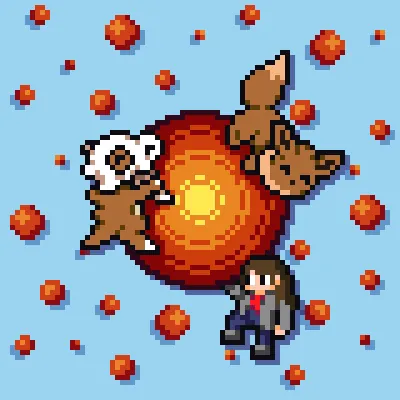
Pixelator Gadzy
★★★★★
November 12, 2023It's a nice and very versatile pixel art tool on the go. A gripe I have though is that if you hit undo too many times it just resets everything which can be a bit annoying but it's also made me be a little more confident in what I make so it's also been more of a plus side in all honesty. Everything else has performed exactly as I needed it to and I really enjoy the flow of using it. Highly recommend for anyone who wants or needs to do some pixel art on the go.

Amy Lester
★★★★★
June 6, 2021I use this for compositing my art into fullscreen animations. It has a lot more imaging abilities than I thought at first. Layers, change opacity, brightness and hue. Again, I don't use it for making my art, so I can't comment on brushes and the like, but what I do use it for works great! I can make animations in ANY resolution that my phone can handle. When you start making 30 frame animations with 15 layers @1920 x 1080 ... you get a little lag on the previews. But I love this thing~
A Google user
★★★★★
March 12, 2019This is. Honestly everything I've been looking for. Dotpict is so weird with its cursor and stuff, but this app!! It has layers! It has animation! It has color palettes! It has! So much! I've used a lot of art programs for PC and this MOBILE APP has managed to be just as good as them. I don't even need the Pro (bro) version but dude you deserve the support so I'm buying it.
Brian Watson
★★★★★
June 25, 2020This is by-far the best mobile pixel art application. The controls are easy to use, but this app has a far, long way to go from perfection. The select tool has no variants in shape, including lasso select (free select). If you're a PC user, the Steam version is a no-no. I'd recommend using Piskel then. Also, Dark mode should NOT be in Pro, as light mode is very bright.
A Google user
★★★★★
January 3, 2019This is the most USEFULL, easy to use, and strait foward pixel art animation app out there by a long shot. If you are a beginner looking to get into pixel art animation, stop your search, this the only app you will need for a while. I wish I could of given it 10 stars but it's whatever. The only tool I would suggest is one that works as the pen tool but it is a selecter tool, you can select unique and organic shapes to then copy, clone, or move.
A Google user
★★★★★
July 6, 2019Possibly the best pixel art app on android. Slightly less robust than other options, but it makes up for it with a fantastic, easy-to-use interface. For basic pixel art, this is going to be all you need. One feature it lacks that I would like, however: the ability to import a saved pixel art piece into the current project. EDIT: Oh, wow, can't believe I didn't notice that the feature already exists. Whelp, there we go, the perfect program.
You Might Like

Read With Akili - So Many Diff
100k+
4.90

Scientific calculator plus 991
10M+
4.90

HelloChinese: Learn Chinese
5M+
4.90

Citizen Now: US Citizenship
100k+
4.90

Dhikr & Dua
500k+
4.90

Doh A Tu (Learn With Us)
10k+
4.90

Ethical Hacking University App
500k+
4.90

The Happy Child Parenting App
500k+
4.90

CDL Prep Test 2024
500k+
4.90

Speak English with Loora AI
5M+
4.90