HomeScreen Mirroring : Smart View
Screen Mirroring : Smart View

Screen Mirroring : Smart View

Everyone
Rating
V1.4.3
Version
1M+
Installs
2.90
77 + Reviews
1
45%
2
3%
3
7%
4
6%
5
39%

Review By AppsWm

Screen Mirroring : Smart ViewScreen Mirroring : Smart ViewScreen Mirroring : Smart ViewScreen Mirroring : Smart View

Efficiency Tools for Enhanced Screen Sharing

Screen mirroring applications, like this one, offer a significant boost to productivity by enabling users to quickly share content from their mobile devices to larger screens. This can be invaluable for presentations, collaborative work sessions, and even streamlining personal workflows.

Quick Connection Capabilities

The ability to rapidly establish a connection between devices is paramount for efficiency. Minimizing the time spent setting up screen mirroring directly translates to more productive meetings and presentations. The application's effectiveness hinges on how quickly it can identify and connect to available devices.

Time-Saving Features for Streamlined Workflows

Time is a critical resource, and the value of a screen mirroring app lies in its capacity to save users time. Features that simplify the mirroring process, such as automatic device detection and intuitive controls, are essential for maximizing efficiency.

Advantages
  • Reduced setup time for presentations.
  • Simplified content sharing during meetings.
  • Enhanced multitasking capabilities.
Disadvantages
  • Potential connectivity issues can disrupt workflow.
  • Dependence on network stability.

Workflow Enhancers Through Seamless Integration

A screen mirroring application should seamlessly integrate into existing workflows. This means minimal disruption and a smooth transition between different tasks. The application's usability and compatibility with various devices and platforms are crucial factors.

Workflow Integration Assessment

The application's ability to integrate into existing workflows is highly dependent on its compatibility with different devices and display technologies. Users should evaluate its performance across various devices to ensure seamless integration.

Productivity Boosters via Multi-Device Connectivity

The core function of screen mirroring inherently boosts productivity by allowing users to leverage larger displays for increased visibility and engagement. This can be particularly beneficial for tasks that require visual collaboration or detailed analysis.

Use Case Productivity Impact
Presentations Improved audience engagement and clarity.
Collaborative Work Enhanced teamwork and shared understanding.

Process Optimizers for Efficient Content Delivery

Effective screen mirroring optimizes the process of content delivery by providing a clear and direct channel for sharing information. This is particularly valuable in dynamic work environments where quick and efficient communication is essential.

Overall Productivity Value

This application can be a valuable tool for enhancing productivity, provided that it offers reliable performance, seamless connectivity, and a user-friendly interface. Evaluate its functionality to determine if it meets your specific requirements and workflow needs. The key to unlocking its productivity potential lies in its ability to streamline content sharing and facilitate efficient communication.


Description

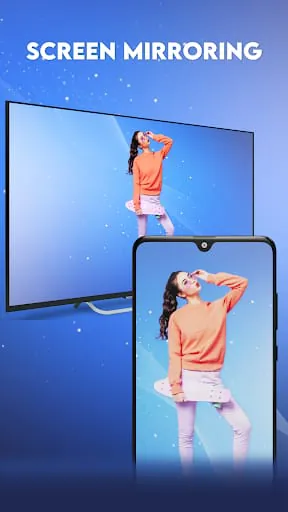
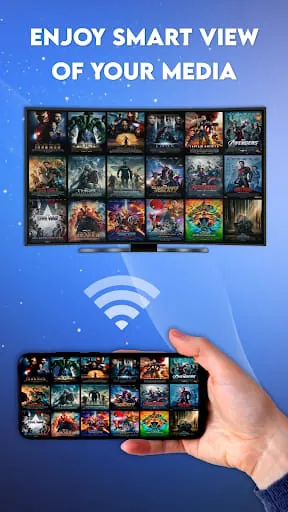
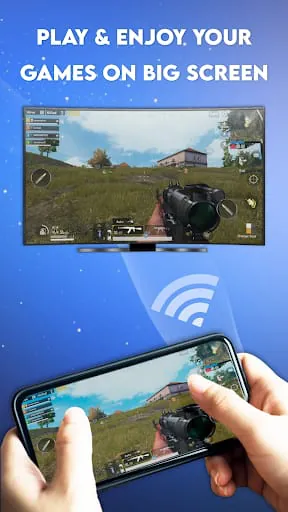
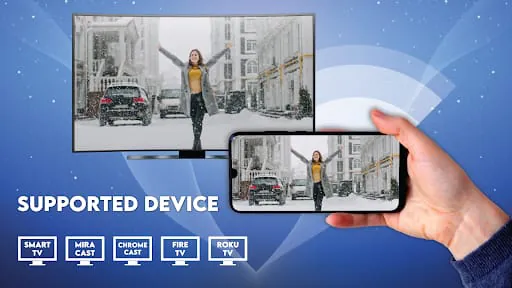
"Smart View Screen Mirroring for all TV" is a free app that allows users to connect their phone to their TV. This app supports streaming devices such as Amazon Fire TV, Chromecast, LG, Samsung, Sony, and other DLNA & Google Cast receivers, and provides a smart view of the phone screen in high quality and real-time speed. The app also includes features such as Miracast, PDF reader, cast to TV, and screen sharing, making it a versatile tool for users. One of the core features of the app is the Miracast app, which allows users to mirror their favorite videos, movies, and web series on an Android TV screen. The app also includes a PDF reader, which enables users to read, view, and stream their PDF files on a big TV screen. Additionally, the app includes a cast to TV feature, which allows users to mirror all their media content on a smart TV, and a screen sharing app, which enables users to listen to their audio files on a smart TV screen. The app also includes additional features such as Roku TV Cast, which provides users with the localization feature to change the language of the app according to their desire, and a whiteboard app, which allows users to draw and write anything on a digital and virtual magical whiteboard slate. Overall, the "Smart View Screen Mirroring for all TV" app is a user-friendly and powerful tool for mirroring and broadcasting an Android phone screen in real-time. To use the app, users need to open their Roku TV Cast app and connect to Wi-Fi. They should ensure that their phone and smart TV are connected to the same Wi-Fi and tap on the connect button to connect their smart TV. Once connected, users can cast the video and control it remotely with their smartphone. The app is available for download and installation, and users can access all their photos, PDF files, videos, movies, music, and games at high quality and real-time speed. However, users should note that to access all their files from internal phone storage at one place using the PDF screen mirroring app, they need to give "All Media File Access" permission.

All Versions

V1.4.5

Updated: 2024-11-27

25.2 MB

V1.4.3

Updated: 2024-1-5

32 MB

V1.4.2

Updated: 2023-3-13

31.34 MB

V1.4.0

Updated: 2022-11-23

29.57 MB

Summary Of User Reviews

William Grimes
William Grimes
July 20, 2022
This has got to be one of the worse apps I've ever used on anything I've ever used apps on, it has literally wasted hours apon hours of my time trying to get a samsung phone to mirror to a samsung TV which my previous samsung did easily without any app but this app assured me it would also easily do ,FAR FROM IT , and so many ads I can't tell if I'm excepting a offer or trying to connect to the TV one star and uninstalled
Scott Reday
Scott Reday
May 21, 2022
I'm sure it's pretty cool if I was able to try it longer, but you asked me to rate it at such an early stage I have to give you 1. However, I'm going to try it eventually again, and I will give you a true measure of my feelings for it. So far it didn't work, then so far really didn't try hard enough. Please don't ask the rate anything, until you've known what that we've used it for a while. So this may be unfair to you, and the work that you put into it. But I'm just being scott. Good luck!
Kpeke-Johnson Theresa
July 22, 2022
Thanks for wasting my data and time. Just downloaded it and it keeps closing right after I click on let's start. Arrest the IT team and shutdown the app because this is pure garbage material.