


HomeScreen Recorder - Vidma REC
Screen Recorder - Vidma REC

Screen Recorder - Vidma REC

Everyone
Rating
V2.6.6
Version
10M+
Installs
4.70
2.5k + Reviews
1
6%
2
2%
3
1%
4
5%
5
86%

Review By AppsWm

Screen Recorder - Vidma RECScreen Recorder - Vidma RECScreen Recorder - Vidma RECScreen Recorder - Vidma REC

Orchestrating Digital Harmonies

A deep dive into the sonic capabilities and flow of screen recording.

Symphony of Features
Core Functionality

The application provides essential tools for screen recording, offering a fundamental suite for capturing on-screen activity.

Recording Controls

Simple start, stop, and pause functions are the basic rhythmic elements of capturing digital motion.

Output Settings

Offers control over resolution and frame rate, shaping the melodic line of the final recording.

Harmony in Motion

Exploring the application's ability to create smooth and balanced video productions.

  • Easy to use interface.
  • Basic editing features are included.
  • May lack advanced editing capabilities.
  • Potential for performance issues on lower-end devices.

Musical Elements: Playback and Editing

Analyzing the application's ability to manipulate recorded content.

Editing Features

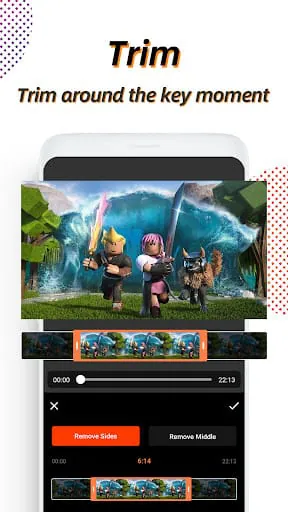
Offers basic trimming and merging, allowing for elementary manipulation of video sequences.

Rhythm and Performance

Evaluating the tempo and responsiveness of the application in operation.

Aspect Performance
Loading Speed Generally acceptable, though large files may take time.
Processing Speed Hardware dependent; faster on newer devices.

Melodic Moments: User Experience

Assessing the overall enjoyment and ease of use.

Harmonic Flow Assessment

The application provides a functional, though perhaps not groundbreaking, experience for users seeking basic screen recording capabilities. The harmonic flow is adequate, but enhancements could create a more compelling digital sonata.


Description

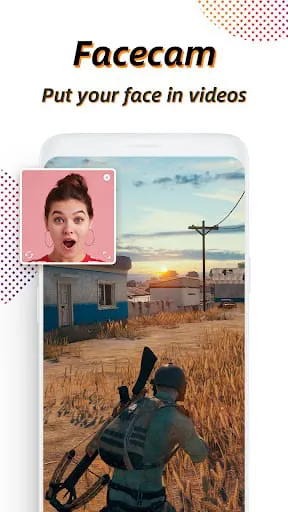
Vidma Screen Recorder Lite is a free and lightweight app designed for Android devices, offering all the essential screen recording features without any watermarks. Whether you're a gamer, vlogger, student, or professional, this app provides a smooth recording experience with the ability to capture both screen and camera simultaneously. With features like facecam recording, lag-free performance, and complete privacy protection, Vidma Screen Recorder ensures a seamless and secure recording process. This screen recorder app allows users to record videos with audio, making it suitable for various purposes such as creating gaming content, educational videos, or business presentations. The absence of watermarks in recordings enhances the overall viewing experience, while the option to easily export and share videos with friends adds convenience. Additionally, the app offers customization options like adjusting audio sources, enabling screen touches, and trimming videos post-recording, providing users with flexibility and control over their recordings. Vidma Screen Recorder prioritizes user privacy by saving all videos and screenshots locally on the device, ensuring that only the user has access to their recorded files. The app's user-friendly interface and practical features make it an ideal choice for anyone looking to capture memorable moments, create engaging content, or record important information. By offering a reliable and efficient screen recording solution, Vidma Screen Recorder aims to cater to the diverse needs of its users while maintaining a high level of privacy and security.

All Versions

V2.6.6

Updated: 2024-2-20

12.37 MB

V2.6.5

Updated: 2023-12-14

13.88 MB

V2.6.0

Updated: 2023-8-28

12.97 MB

V2.5.9

Updated: 2023-5-29

12.37 MB

V2.4.9

Updated: 2022-10-24

7.63 MB

V2.3.8

Updated: 2022-2-23

5.8 MB

Summary Of User Reviews

Salted Caramel
Salted Caramel
May 23, 2022
It hides the floating button when recording. The recorded video is not slow and does not glitch. This is one of the best recording apps I've found so far. I highly recommend you to try it. Just that, you can't record internal audio on Android 6 (and probably older). I've used an app that is able to do it but I've deleted it and it's gone from PlayStore now. But those who have later versions of Androids are lucky if it works on them. However, recording without audio is not a big problem to me.
Subhankar
Subhankar
March 7, 2026
i just recently uninstall this app after giving all permission still its crashes. sometimes internal audio record but some time cut the last part or speedup the middle part of the audio and if you set the audio to internal sound sometimes it doesn't record the internal sound means if you use it for something like proof heavy chances that the audio is not recorded i use this application from 2 or 3 years but recently i facing this issue again and again please don't use this app.
s0ur-n-spicy_s0ulS
s0ur-n-spicy_s0ulS
July 16, 2025
I have to say this has probably been the worst recording app I have used yet. Whenever I stop the recording it says "unexpected error" and my video never saves! it's really annoying since there is no way to even fix the error and you just lose the recording entirely. Aswell as the fact that if you try recording for too long your phone gets all laggy. I checked and am sure that my phone isn't the reason. I really hope you can fix these issues since I have used this app for quite some time.