
Advertisement
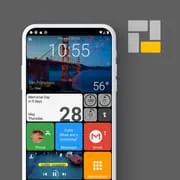
Square Home
4.50
3.7k+ Reviews4.50
3.7k + Reviews
1
4%
2
3%
3
4%
4
12%
5
76%
User Reviews

D L
★★★★★
February 15, 2026It was a big change after using Microsoft Windows Phones to Android. Took me a while to get used to Android. Then I discovered Microsoft Launcher a few months later, installed it and learned how to use it. I like the feathers but it was kinda difficult to learn. Once I figure it out I have been using it since. Last night Gemini introduced me to a Square Home. I installed the app, in two hours my phone was already set up the way I wanted to look like a Windows phone. I am super happy 😁.

John “ZoomZoom” Hoit
★★★★★
September 8, 2025This is a refreshing change from the standard android layout. If Microsoft would have done their cellphone UI with this much dazzle and function it might have actually survived. Configuration and tweaking takes a little getting used to and a lot of it is trial and error. I have mine set up the way I like it and I use it often when I need a change. I am very pleased with how well it looks on my tablet. This launcher is definitely worth paying for.

Josh Muglia
★★★★★
January 11, 2023I'm a folders guy. I like to have everything on a single page, and that typically requires me to group things together and put them in folders. Then i discovered this launcher. I now have everything conveniently put into stylish cubes that I can quickly use to select any app I want. I even have super convenient shortcuts for things like calling and texting specific people. Out of all the launchers I've tried, this one is far and away my favorite and I'll be purchasing the full version very soon.
Advertisement

A Google user
★★★★★
January 16, 2020Having used my first launcher for 5 years I decided to use Square as the second one. Whatever feature you think of you can find it here. Some suggestions. The 6 sides cube can be confusing because you can rotate it horizontally or vertically, making it hard to predict how to get to the wanted side. Setting icons for each tiles takes too many steps. It would be better if all the launcher actions (such as open drawer, lock screen) are exposed to other apps as shortcuts like in other launchers.

VinceCL
★★★★★
April 15, 2021UPDATE: The alarm issue is due to the way notifications are handled by android and is unavoidable, but not a big deal. Everything still works :) UPDATE: Just installed on my new Galaxy S10 and my alarms show to be 5 minutes before on the desktop widget (i.e. if my alarm is set for 5:00 am in the. lock app it shows as 4:55am in the widget). Have not been able to fix?? Recently moved to Android and this has made the transition much easier. Well done app. It is smooth and fast and doesn't use much battery. Great app!

T Fries
★★★★★
December 30, 2021I'm very picky about launchers, most are clones or just lame. Square Home is perfect, my "go to" launcher. I've used it across a bevy of phones and tablets, Motorola, Samsung, LG, Asus, back to my new Samsung with no problems. Honestly , the few times I thought I had an issue, it was because I didn't know how to use an option or a customization, not because of the app. Takes a bit to learn but is worth it ,once you got that perfect setup. One of the best Android apps available!

Brandon Clement
★★★★★
January 26, 2021Absolutely phenomenal launcher! The attention to detail is incredible, highly customizable, easy to use and navigate through! Literally the only thing I would have to say could be improved would be creating folders in app drawer. It can be a little confusing in the first place and they stay in the main drawer even when put in a folder, there should be an option to remove them from main drawer when apps are put into folders. other than that, it is absolutely Incredible! Way better than Nova IMO

Jim Clatfelter
★★★★★
March 5, 2023Great launcher. I got it set up just as I wanted it with a bit of experimenting. I wanted it simple—no live tiles, no wallpaper, all tiles the same size and color, text on all the tiles. It's so easy to read and navigate. My setup might be boring to most people, but I wanted it to be like the Windows 10 desktop. I chose style #3 for each icon to mimic my desktop. I purchase the full version. So worth it!
A Google user
★★★★★
June 11, 2019Great launcher, however for some reason it's not letting me enable notifications. Whenever I try to enable it, it takes me to the settings page and asks me to enable notification access, which was already on. Once I try turning it off and on again, it still doesn't let me toggle it. I've uninstalled and reinstalled it multiple times, and nothing worked so far. If you could help me out that'd be great.
A Google user
★★★★★
August 6, 2019PLEASE help permissions not sticking even though i have optimization turned off. Must regrant constantly! ---- its the perfect launcher. It seems to have all the best options of other launchers i have tried plus the internal ability to create custom shortcuts like power options eliminating my need for two shortcut apps. It does not hog memory. And I have yet to explore many (most?) other features. Btw it doesn't ask for permissions gratuitously. But it needs quite a few for some functions.
A Google user
★★★★★
April 2, 2020Really nice change in launchers. But... It seems to interfere with my bluetooth when playing either Tidal or Google Play Music. Both allow one song to play, then BT cuts out until I restart the BT connection. Annoying while trying to use GPS app and listen to music. I love the launcher other than that! Edit : Since this is not a problem of the launcher, I'm upping my rating all the way. This is quickly becoming a favorite of mine. I hope the dev keeps adding features to it!

Ben Bonin
★★★★★
August 5, 2021Love it, but a few things I would change. First, icon colors, I really want to make all my icons the main color of the app logo which is unable to be done if your app drawer contians more than 12 colors. I wish the limit to preset colors could be added, but not a huge deal. Second, I wish there was more support and tutorials and/or the settings were more descriptive in what they did. It was very hit and miss with me trying to guess what certain settings did but overall I love it. :D
Optimus Prime
★★★★★
November 14, 2023I STAND CORRECTED! Not only can you edit the tiles to take up an even amount of space from portrait to landscape, you can edit the tiles to actually move to different spaces when you rotate your phone. You can edit portrait and landscape modes differently! WOW!!! This launcher is so great that I will never go back to using regular Android ever again. I cannot believe a phone company has not picked this up as a built-in launcher.
A Google user
★★★★★
September 29, 2019I like this launcher. I never had my phone set up looking like a windows phone so it's a breath of fresh air. However, I cant for the life of me figure out how to group apps in the app drawer. Also, the the widgets are severely lacking and forces the user to just use app tiles. For example, both the clock and calendar widgets are very ugly.
Eric Kingston
★★★★★
September 13, 2023Overall, this is a high quality launcher, but I think I have a deal breaker with this launcher. I can't just put the tiles where I want without things floating to the top. I want like 1-2 things at the top, and I want some at the bottom. I don't want to add filler to get things to move down. And why does the "blank" widget cast a white shade instead of actually being blank. A color/opacity option on that could be useful.

Matthew Russell
★★★★★
May 7, 2022This is just a really good launcher! It looks cool, and it's so efficient with your screenspace that I found myself filling the screen with every app I could need to use, and then some. The only issue I have is that it seems that you can't turn off the animations that show the details of apps' notifications (I think it might be called live tile?) on a per-app basis, so I have to watch out for things like, for example, YouTube thumbnails I don't want people to see on my homescreen.

Scott Brown
★★★★★
September 30, 2025the best. I've used it for years now on all of my devices... I think this is my third phone (plus my tablets) that I've put it on. just thought I'd finally leave a review. no glitches and rebooting like Nova seemed to do all of the time. came back to add: no battery drain and some really legit icon packs. I finally paid for the full version after way too long- but what you get for free is so sufficient I never really looked back, but once I saw what you actually get extra...I was sold

Hootan Rabbani
★★★★★
October 22, 2025This app is exactly what I’ve been looking for all these years — modern yet classic! However, it really needs to include icons for at least the most commonly used apps. For example, it has an icon for the Phone app but not for Messages, and it’s also missing the Google icon. The app itself is very simple and smooth, but unfortunately, I can’t purchase it in Iran, so I have to use the cracked version instead. ♥️
Thomas Stouffer
★★★★★
August 3, 2021Amazingly well done. They have taken major features from the windows mobile phone and improved on some things. Finally I can get rid of the necessity of multiple home screens and docks that you need for most launchers and just have one scrollable screen. A cloud based configuration backup would be a plus. For now, you have to transfer the backup file manually. A metro style icon pack would make the home screen look better but I have not found a good one yet.
A Google user
★★★★★
February 12, 2019Not only does it look fantastic, but it has great animations and cool features. I usually get launchers to see how they look then go back to the normal launcher my phone uses, but this once I might just keep it. I have to give this 5 stars even though I had issues getting some of the tile looks to work properly without graphical issues. I can only assume it's my phone's hardware and/or software that is causing this, so I wouldn't blame the launcher itself.
You Might Like

Read With Akili - So Many Diff
100k+
4.90

Scientific calculator plus 991
10M+
4.90

HelloChinese: Learn Chinese
5M+
4.90

Citizen Now: US Citizenship
100k+
4.90

Dhikr & Dua
500k+
4.90

Doh A Tu (Learn With Us)
10k+
4.90

Ethical Hacking University App
500k+
4.90

The Happy Child Parenting App
500k+
4.90

CDL Prep Test 2024
500k+
4.90

Speak English with Loora AI
5M+
4.90