
HomeSquare Pic Photo Editor Pro
Square Pic Photo Editor Pro

Square Pic Photo Editor Pro

Everyone
Rating
V2.6.5
Version
1M+
Installs
4.80
258 + Reviews
1
3%
2
1%
3
2%
4
6%
5
88%

Review By AppsWm

Square Pic Photo Editor ProSquare Pic Photo Editor ProSquare Pic Photo Editor ProSquare Pic Photo Editor Pro

User Experience: A Mosaic of Opinions

Understanding user experience involves dissecting various perspectives. User reviews often reveal a spectrum of satisfaction levels. While some users laud the application for its ease of use and creative tools, others express concerns regarding performance and intrusive advertising.

Appreciated Features
  • Intuitive Interface
  • Diverse Filter Selection
  • Easy Social Sharing

Common Complaints
  • Excessive Advertising
  • Occasional Performance Issues
  • Limited Advanced Editing Features (in free version)

Technical Analysis: Under the Hood

The application's technical performance is crucial for a seamless user experience. Factors such as app size, battery consumption, loading speed, and stability are paramount. Resource management and optimization influence overall user satisfaction.

Technical Considerations

While the app offers a range of features, some users report experiencing lag and occasional crashes, particularly on older devices. Efficient memory usage and optimized storage management are essential for improved performance.

Photography-Specific Features: A Creative Toolkit

Photography applications are judged by their creative and editing tools. Manual controls, filter quality, retouching features, and output options define the user's creative journey. The availability of professional features and social integration further enhances the user experience.

Editing Capabilities

The application provides a range of editing tools, including basic adjustments, filter application, and selective editing. However, professional features like RAW support and histogram analysis may be limited or absent in the free version.

Monetization and Value: Balancing Act

The application's monetization strategy influences its perceived value. The pricing model, in-app purchases, subscription options, and the distinction between free and paid features determine user acceptance. The key is to balance revenue generation with user satisfaction.

Feature Free Version Paid Version
Basic Editing Tools Yes Yes
Advanced Filters Limited Unlimited
Ad Removal No Yes
RAW Support No Yes

Security and Privacy: Safeguarding User Data

Data collection practices, privacy policy clarity, security measures, permission requirements, and data storage methods shape user trust. Transparency and ethical data handling are critical for maintaining user confidence.

Privacy Assessment

Users should carefully review the application's privacy policy to understand data collection and usage practices. Clear and concise privacy guidelines are essential for fostering trust and ensuring user data security.

Final Thoughts: A Balanced Perspective

In summary, the application offers a blend of creative tools and editing features that cater to a broad user base. While the free version provides access to essential functionalities, the paid version unlocks advanced capabilities and removes advertising. Balancing the user experience with a sustainable monetization strategy remains a key challenge. Understanding user needs and preferences is crucial for refining the application and fostering user loyalty.


Description

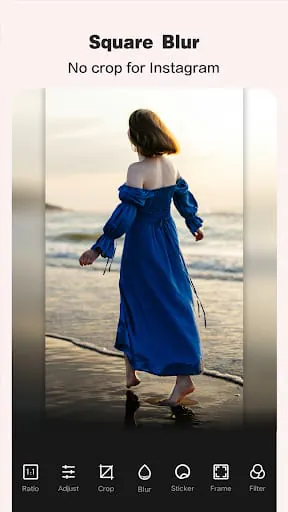
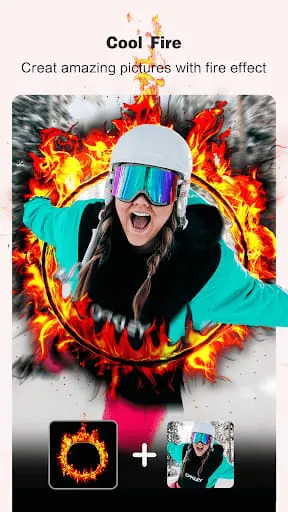
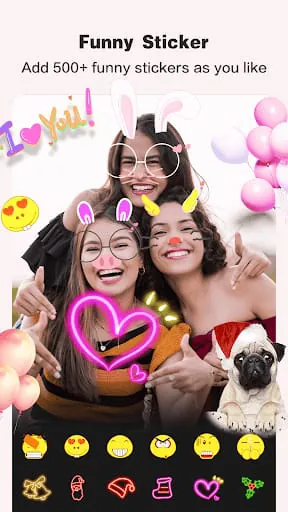
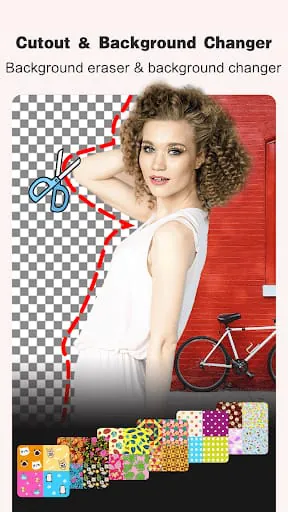
Photo Editor, Square Pic Collage & Effect-Pic Editor is a photo editing and collage making app that offers a wide range of powerful tools for creating unique and aesthetic photos. The app is compatible with popular social media platforms such as Instagram, WhatsApp, Snapchat, Facebook, and Messenger. With this app, users can easily create magic effects, insta square pics, collages, square blur, layouts, stickers, emojis, filters, frames, text, and backgrounds. The app offers a variety of features for creating aesthetic photos, including insta square pic and no crop for Instagram, multiple ratios, professional blur effect, magic photo effects, professional filters, crop, rotate, blur, resize, mirror, and zoom photo, stickers, text, borders, and frames, and color brush. Users can also create photo collages with 100+ layouts in seconds, customize photo grid size, border, and background, and personalize their own scrapbook with freestyle pic stitches. The app also offers AI cutout and background changer features, allowing users to remove background with one tap and change background with awesome templates. Users can also choose from 100+ filters and effects, including Lomo, Retro, Food, BW, Film, Retro VHS, Bad TV, RGB, Glitch, Emboss, Pixel, Sketch, Moire, and Monitor. Additionally, the app offers powerful photo editing tools such as insta square pic blur photo editor, pinch to resize the photo, rotate and move to customize, no crop, square blur, mirror, and doodle feature, and adjust the brightness, contrast, saturation, and layout of the photo. Users can also add funny stickers and text with 500+ built-in stickers and 50+ typefaces, adjust the size and position of stickers and text by simple gestures, and choose from 200+ backgrounds and 100+ photo frames, including blur background with professional blur effect, black background, white background, and many colors. Finally, users can export HD images to their gallery, upload their photos instantly to social media platforms, and use the app as the best and simplest no crop photo editor for Instagram. In summary, Photo Editor, Square Pic Collage & Effect-Pic Editor is a user-friendly app that offers a wide range of features for creating aesthetic photos and collages. The app is compatible with popular social media platforms and offers powerful photo editing tools, filters, effects, stickers, text, backgrounds, and frames. Users can also export HD images to their gallery and upload their photos instantly to social media platforms.

All Versions

V2.6.5

Updated: 2024-6-13

29.86 MB

V2.6.2

Updated: 2023-9-14

27.8 MB

V2.6.1

Updated: 2022-11-10

29.13 MB

V2.5.3

Updated: 2022-3-22

27.74 MB

Summary Of User Reviews

Crystal Duwe
Crystal Duwe
August 31, 2022
I'm about to flip out!put!! I download this app a few weeks ago and literally as soon as I did and seen it cost money I went to try and get back out of the app and accidentally pressed subscribe instead of whatever I should've pressed and I have never not once since the used the app and there is absolutely no way or option at all whatsoever on the app or anywhere I can find to unsubscribe and make this stop. Keep charging me without my consent & I can't make it stop. I'm pissed
Jake Cravotta (Jakester)
November 3, 2023
If ever an app deserved 5 Stars.... It's this one. Graphic design / photo editing apps have a tough job to do from the start. Attempting to even try meeting the expectations of graphic artists' demand for top quality software is virtually impossible. Using the free trial & full features, this program completely exceeded my expectations! Great job!
Tansan Haneef
Tansan Haneef
January 23, 2026
I just want to say "amazing, superb, mind blowing and I love this app because no ads and everything for a photo edit " . By the way, the combination of Cap cut and this app was so good plz check out.