
HomeUltimate Background Eraser
Ultimate Background Eraser

Ultimate Background Eraser

Everyone
Rating
V2.6
Version
5M+
Installs
4.70
2.1k + Reviews
1
5%
2
1%
3
2%
4
5%
5
88%

Review By AppsWm

Ultimate Background EraserUltimate Background EraserUltimate Background EraserUltimate Background Eraser

Refined Editing Precision

The application distinguishes itself through the meticulous control it offers during the background removal process. Users can expect a level of precision that allows for detailed edits, especially around complex shapes and edges.

Smart Selection Tools

Featuring AI-powered selection tools, the app attempts to automate the process, discerning between the foreground and background. While not always perfect, these tools provide a solid starting point for refined edits. This is combined with manual selection options for precise tuning.

Sophistication Value

The value lies in the combination of automated assistance and manual refinement options. This hybrid approach caters to both novice and experienced users, offering a pathway to achieve high-quality results.

Sophisticated Background Manipulation

Beyond simple removal, the application facilitates the replacement of backgrounds with various options, including solid colors, custom images, or transparent backgrounds for creating professional product photos or profile pictures.

  • Wide range of background options.
  • Easy-to-use interface for background swapping.
  • The quality of the final image is dependent on the quality of the original and replacement images.

Graceful User Interface

The user interface (UI) is designed to be intuitive and easy to navigate, even for those unfamiliar with photo editing software. Clear icons and straightforward menus contribute to a smoother editing workflow.

Intuitive Controls

The application provides simple, easily understandable controls for selecting, erasing, and refining the background.

Grace Factors

Factors contributing to the gracefulness of the application include its responsiveness, visual clarity, and the absence of overwhelming features. The learning curve is minimal, enabling users to quickly achieve their desired outcomes.

Polished Output and Sharing

Once editing is complete, the application allows users to save their creations in various formats and resolutions. Direct sharing options to social media platforms further enhance the user experience.

Feature Description
Export Formats Supports common image formats like PNG, JPG, etc.
Sharing Options Direct sharing to social media platforms.

Overall Elegant Value

The application offers a compelling combination of precision, sophistication, and ease of use. Its intuitive interface, refined editing tools, and versatile output options make it a valuable tool for anyone seeking to manipulate image backgrounds. Its polished approach leads to a satisfying user experience overall.


Description

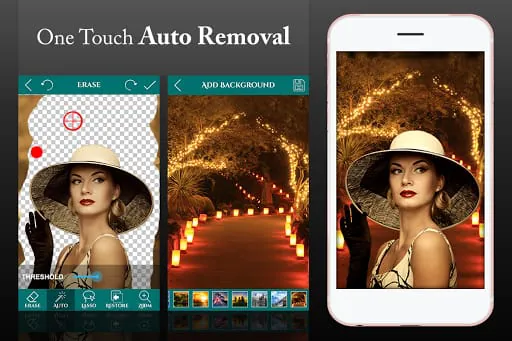
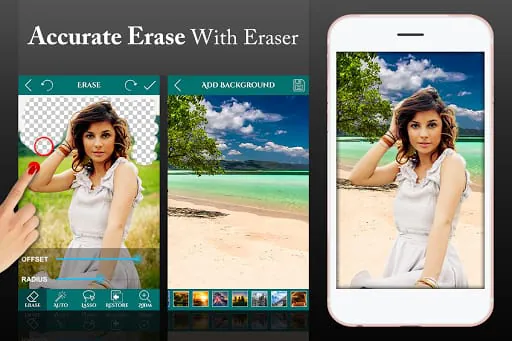
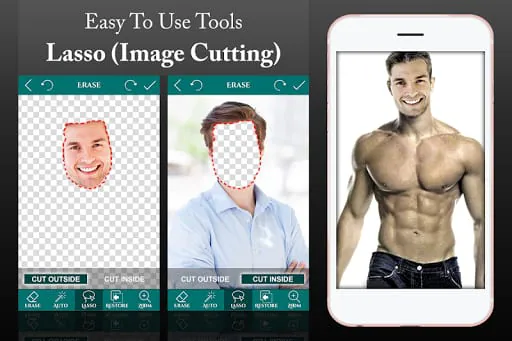
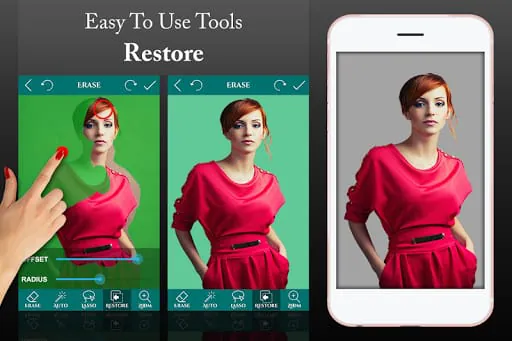
Ultimate Background Eraser is a photo editing app that provides a quick and easy way to change the background of your photos. With its auto eraser tool, you can simply touch the area you want to erase and let the app do the rest of the work for you. Alternatively, you can manually erase the background using your finger or the Lasso tool. The resulting images can be saved in PNG or JPG format, with a transparent background that can be used for photo-montages, collages, or with other backgrounds. The app also offers a range of features, including the ability to restore parts of the image that you may have accidentally erased, as well as undo, redo, and zoom functions for greater accuracy. Overall, Ultimate Background Eraser is a useful tool for anyone looking to edit their photos quickly and easily. With its intuitive interface and range of features, it is a great choice for both amateur and professional photographers. If you're looking for a way to remove backgrounds from your photos, Ultimate Background Eraser is the app for you. With its auto eraser tool, manual eraser, and Lasso tool, you can quickly and easily remove unwanted backgrounds and save your images in PNG or JPG format. The app also offers a range of features, including the ability to restore parts of the image that you may have accidentally erased, as well as undo, redo, and zoom functions for greater accuracy. Whether you're a professional photographer or just looking to edit your photos for fun, Ultimate Background Eraser is a great choice.

All Versions

V2.6

Updated: 2024-1-8

26.02 MB

V2.4

Updated: 2022-10-8

22.86 MB

V2.2

Updated: 2020-2-28

21.9 MB

V2.1

Updated: 2019-3-7

21.7 MB

V2.0

Updated: 2018-10-28

21.5 MB

V1.9

Updated: 2018-3-13

21.5 MB

V1.8

Updated: 2018-1-5

21.4 MB

Summary Of User Reviews

Jeff Riddle
Jeff Riddle
June 27, 2022
Very good app, but you put your watermark on it and expect us to pay you to remove it. I don't think so. Why would I pay you to remove something you put on my photo which I did not want or asked for. As for the "Tell us more" portion of this review, the app works very well and is easy to use. If you don't mind the rather large watermark or having to pay to remove it, you will find the app very useful.
A Google user
A Google user
April 20, 2020
All in all good but... The Good: - Very easy to use once you figure it out. Does exactly what it says. Easy for a novice who doesn't want anything except background removal. The not-so-good: - You can't save project files. You must finish what you're doing in the current session or it's gone. - It doesn't save with transparent backgrounds for future use. - Backgrounds are not resizable. - It doesn't allow choosing a new filename. It overwrites the current saved pic.
Brenda Ann Eckels, aMGC
August 29, 2020
So far I've done a few of my shots to get them ready for Autodesk. What I like most is that you can delete the background and not put any new background in. I'm finding this very helpful for when I want to put multiple people into one photo in Autodesk. The option to watch a 30-second ad to remove watermark was definitely worth my time... And the ad was super relevant and interesting!