Feature Depth
Evaluating the breadth and depth of features offered. Understanding how well the app addresses user needs through its toolset.
-
Comprehensive set of tools for various tasks.
-
Regular updates introduce new functionalities.
-
Some advanced features require a premium subscription.
Intuitive Design
Assessing the user interface and navigation logic. Aiming to understand the ease of use and overall user experience.
Navigation Efficiency
The app's navigation is designed for quick access to frequently used tools, improving efficiency and workflow.
Data Handling and Security
Examining how the application manages user data, including file format support, import/export options, and security measures.
|
Feature
|
Supported Formats
|
Security Measures
|
|
File Import
|
Multiple (e.g., txt, csv, docx)
|
Encryption, access control
|
|
File Export
|
Multiple (e.g., txt, pdf)
|
Password protection
|
Cross-Platform Integration
Evaluating integration capabilities and third-party support, focusing on synchronization and ease of sharing.
Third-Party Compatibility
The app supports integration with several cloud services, enabling seamless data synchronization and backup. However, certain integrations require a premium account.
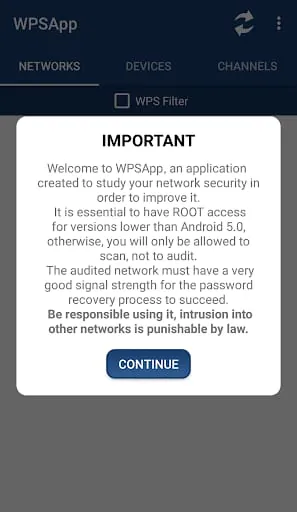
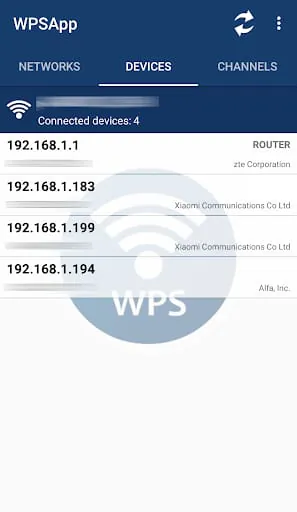
WPSApp is a mobile application that checks the security of your network using the WPS protocol. This protocol allows you to connect to a WiFi network using an 8-digit pin number that is usually predefined in the router. The app uses these pins to try the connection and check if the network is vulnerable. It implements several known algorithms for pin generation and some default pins. It also calculates the default key for some routers, allows you to view WiFi passwords stored on the device, scans the devices connected to your network, and analyzes the quality of the WiFi channels.
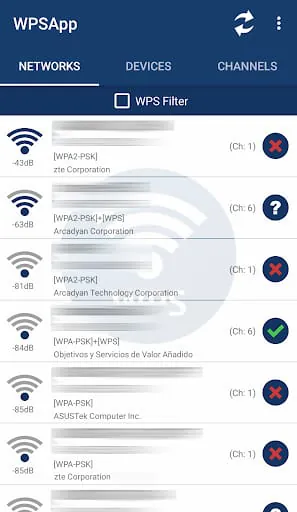
When scanning networks around you, networks with a red cross are "secure" networks that have disabled the WPS protocol and the default password is unknown. Networks with a question mark have enabled the WPS protocol, but the pin is unknown. In this case, the application allows you to test the most common pins. Networks with a green tick are most likely vulnerable, have the WPS protocol enabled, and the connection pin is known. However, not all networks are vulnerable, and the fact that a network appears as such does not guarantee 100% that it is. Several companies have updated firmware of their routers to correct the fault.
From Android 6 (Marshmallow), it is necessary to grant location permissions. It is a new requirement added by Google in this version. Some Samsung models use encryption and do not show real passwords, they show a long series of hexadecimal digits. Pin connection does not work on LG models with Android 7 (Nougat). It is important to understand how the application works before giving an evaluation. Any proposal, failure, or comment can be sent to
[email protected]
.
WPSApp is a useful tool for checking the security of your network. It is easy to use and provides information on the vulnerability of networks around you. The app is constantly updated to include new algorithms and default pins. However, it is important to note that not all networks are vulnerable, and the app should not be used for illegal purposes. The app also requires location permissions, which may be a concern for some users.
The app was developed by a team of individuals who are acknowledged in the app description. They include Zhao Chunsheng, Stefan Viehböck, Justin Oberdorf, Kcdtv, Patcher, Coeman76, Craig, Wifi-Libre, Lampiweb, David Jenne, Alessandro Arias, Sinan Soytürk, Ehab HoOoba, drygdryg, and Daniel Mota de Aguiar Rodrigues. The app is available for download on the Google Play Store and has received positive reviews from users.