
Doodle art can be a quick sketch, a colorful pattern, or a creative way to relax. With the right app, you can experiment with glowing effects, brushes, colors, and digital designs right from your device.
These six apps cover everything from dedicated doodle drawing and coloring to casual doodle-style gaming. Here’s a quick comparison before exploring each one.
Quick Comparison
| # | Doodle App | Best For | Rating | Reviews | Installs |
|---|---|---|---|---|---|
| 1 | Doodle Jump | Classic doodle-style platforming and high-score challenges | 4.2★ | 1.1M+ | 50M+ |
| 2 | Doodle Master - Glow Art | Glow doodles, mandalas and colorful patterns | 4.7★ | 94.8K+ | 10M+ |
| 3 | Doodle Art: Magic Drawing App | Magic doodles, glow art and creative drawing | 4.1★ | 23.8K+ | 10M+ |
| 4 | Doodle - Easy Scheduling | Scheduling meetings and coordinating events | 2.8★ | 32.6K+ | 5M+ |
| 5 | Magic Board - Doodle & Color | Drawing, coloring and simple creative projects | 4.2★ | 8.01K+ | 5M+ |
| 6 | Doodle Art Fun and Draw | Colorful doodles, brushes and creative effects | 4.1★ | 3.3K+ | 1M+ |
1. Doodle Jump
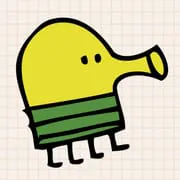
Doodle Jump brings doodle-style artwork to an endless platforming game. Jump from platform to platform, collect power-ups, avoid obstacles, and try to beat your highest score.
Best for: Doodle-style arcade gaming.
Download & View DetailsInstalls50M+Rating4.2★Reviews1.1M+
2. Doodle Master - Glow Art
Doodle Master focuses on glowing artwork, mandalas, kaleidoscope patterns, and colorful brushes. It is a good option for creating eye-catching doodles without complicated drawing tools.
Best for: Glow art and colorful patterns.
Download & View DetailsInstalls10M+Rating4.7★Reviews94.8K+
3. Doodle Art: Magic Drawing App
Doodle Art: Magic Drawing App provides brushes, colors, stickers, text, backgrounds, glow effects, and spirograph-style designs for creating colorful digital doodles.
Best for: Detailed digital doodle creations.
Download & View DetailsInstalls10M+Rating4.1★Reviews23.8K+
4. Doodle - Easy Scheduling
Doodle - Easy Scheduling is the outlier in this list. Rather than drawing, it helps users organize meetings, appointments, group polls, and schedules.
Best for: Scheduling meetings and events.
Download & View DetailsInstalls5M+Rating2.8★Reviews32.6K+
5. Magic Board - Doodle & Color
Magic Board offers a simple canvas for doodling and coloring, with different drawing tools, colors, effects, and stickers for quick creative projects.
Best for: Simple doodling and coloring.
Download & View DetailsInstalls5M+Rating4.2★Reviews8.01K+
6. Doodle Art Fun and Draw
Doodle Art Fun and Draw lets you create colorful artwork using brushes, colors, and playful effects. It is geared toward simple, fun drawing rather than professional illustration.
Best for: Fun and colorful doodle drawing.
Download & View DetailsInstalls1M+Rating4.1★Reviews3.3K+
Final Takeaway
From glowing patterns and colorful drawings to simple coloring and classic doodle-style gaming, these six apps offer different ways to enjoy the doodle theme. For dedicated drawing, Doodle Master, Doodle Art, Magic Board, and Doodle Art Fun and Draw provide the most direct creative experience.









