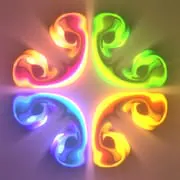
Fluid simulation apps turn your phone screen into a colorful space for exploring flowing patterns, swirling colors, and interactive visual effects. Whether you want a relaxing digital experience, an animated wallpaper, or a way to experiment with vibrant fluid movements, these apps offer different ways to enjoy mesmerizing visuals on your device.
From interactive fluid effects to customizable live wallpapers, these three apps provide options for visual experimentation and relaxation. We've ranked them according to their available ratings, from highest to lowest, using review counts to break ties when ratings are equal. Compare their scores and download figures below to find an app that matches your interests.
Quick Comparison
| # | App | Best For | Rating | Reviews | Installs |
|---|---|---|---|---|---|
| 1 | Fluid Simulation | Interactive fluid effects and colorful visuals | 4.80 | 27.4K | 10M |
| 2 | Magic Fluids Lite - fluid sim | Creative fluid patterns and visual effects | 4.70 | 7.9K | 10M |
| 3 | 4D Wallpaper: Fluid Simulation | Fluid-inspired animated wallpapers | 4.50 | 180 | 5M |
1. Fluid Simulation
Fluid Simulation is a strong choice for anyone who enjoys colorful, flowing visuals and interactive effects. The app lets you explore fluid-like movements and patterns on your screen, creating an engaging experience through shifting colors and swirling designs.
With a reported 4.80 rating and 10 million installs, it ranks first among the three apps in this list. Its 27.4K reviews also provide a larger pool of user feedback compared with the other options featured here.
Best for: Interactive fluid effects and colorful visuals. | Standout: The highest listed rating among these three apps.
Download & View DetailsInstalls10MRating4.80Reviews27.4K
2. Magic Fluids Lite - fluid sim
Magic Fluids Lite - fluid sim offers another way to enjoy fluid-inspired visuals on your mobile device. Its focus on flowing patterns and colorful effects makes it worth exploring if you like experimenting with dynamic designs and watching different visual movements unfold.
The app has a reported 4.70 rating and 10 million installs, placing it second in this ranking. It may appeal to users looking for a creative visual experience that can be enjoyed casually.
Best for: Creative fluid patterns and visual effects. | Standout: Colorful, fluid-inspired visuals with 10M installs.
Download & View DetailsInstalls10MRating4.70Reviews7.9K
3. 4D Wallpaper: Fluid Simulation
4D Wallpaper: Fluid Simulation is an option for users who want to bring fluid-inspired designs to their device's screen. Rather than focusing only on interactive visual effects, its wallpaper theme makes it worth considering if you enjoy colorful backgrounds and animated-looking designs.
With a reported 4.50 rating and five million installs, it ranks third among the featured apps. Its 180 reviews are fewer than those of the other two listings, so checking individual feedback may help you get a better idea of the experience before installing.
Best for: Fluid-inspired wallpapers and screen customization. | Standout: Wallpaper-focused visuals with 5M installs.
Download & View DetailsInstalls5MRating4.50Reviews180
Final Thoughts
Fluid simulation apps offer an enjoyable way to explore colorful patterns, flowing effects, and creative screen visuals. Based on the supplied ratings, Fluid Simulation leads this selection, followed by Magic Fluids Lite - fluid sim and 4D Wallpaper: Fluid Simulation.
If you want interactive fluid effects, start with one of the simulation-focused apps. If customizing your phone's appearance is your priority, the wallpaper-focused option may be a better fit. Compare their features and reviews to find the fluid simulation app that suits your preferences.