
Advertisement
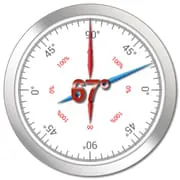
Clinometer
4.70
93+ Reviews4.70
93 + Reviews
1
2%
2
2%
3
2%
4
6%
5
89%
User Reviews

A Google user
★★★★★
February 15, 2020Finally - didn't have to run to store to buy a tool just to get one quick reading. I went thru several of these apps and I chose to stay with yours because I could move it to my SD card as I am running out of internal storage. Thank you for allowing that - I wish all developers did that. PRO: Quick and easy. Seems accurate enough for my needs. CONS: Not really an app con, yet be aware that if you have side buttons that stick out a bit, you'll need to account for them when looking for plumb.
A Google user
★★★★★
April 25, 2019I seem to have issues with the "calibration" feature. For example, let's say I calibrate against a wall or floor surface known to be flat, so that I get a calibrated reading on the app. After taking a few measurements and then going back to that same spot on the wall or floor to see if the calibration is "holding", I usually find that the app has reset or lost the calibration and is back to reading the original pre-calibration angle value. There seems to be no way to "lock" or "save" a calibration so it will hold.
A Google user
★★★★★
June 22, 2019Simple, and clear readout. By default no decimals: just go into [=] (settings) to change to 1 digits (or 2, or 3 but I think at 2 you are already beyond the margin of error of your phone)) Not excessively complicated like some. Love the large dial.
Advertisement

J 6638
★★★★★
November 16, 2025Easy to use. I like the instant conversion from slope angle to degree of slope. I am finding this very valuable for determining the route of a residential hillside tram.
A Google user
★★★★★
November 19, 2018Inclinometer, especially the laser level is very good for my profession. But after 3-4 pictures, I can't find others i click saved anywhere in the device folders or the app images. Kindly solve the issue

Chomp
★★★★★
October 3, 2023Really handy and easy to use. The multitude of modes makes it easy to find one that works for a particular situation. Highly recommended.

Dave Walker
★★★★★
October 8, 2023Fantastic! Excellent at what it does. What changes would I make?.......none. it's perfect. I use it to set my solar panels at the correct declination for maximum power collection
A Google user
★★★★★
December 22, 2019Does exactly what I was looking for. Acts as a bubble level, but gives degrees away from horizontal or vertical. Perfect.

Greg McCoy
★★★★★
June 17, 2023Well worth the trouble, but no trouble at all.. i used this app to measure angles of 10 posts that i was digging to install shade sails, and the post is required to be set at 5° tilt.. this app worked like a charm, and i highly recommend

Christian Fiedler
★★★★★
September 7, 2020Excellent app. Reliable and accurate. Use it to measure height of trees together with a laser pointer.
A Google user
★★★★★
November 22, 2019I need an inclinometer that is magnetic because I need to have my hands free to make satellite antenna adjustments. Otherwise it works fine.
A Google user
★★★★★
June 30, 2019perfect. easy to use. lock screen to view and also save readings is most important!

Vincent “Bad Dad” Hercock
★★★★★
August 20, 2023The calibration is just not the go, have tried it on flat level surface then when moving to check the pitch it says 80 when it's roughly 30-35. And it never seems to remain 0 on flat surfaces

Howard Helsinger
★★★★★
May 21, 2022I needed to plane an exact 45° angle along the length of one edge of a wooden board. I've got it within a few tenths of a degree. I couldn't have done it without this app.

Jason
★★★★★
January 2, 2025Its pretty simple and just seems to work. I would not replace job specific precision tools with this app, but it is super convenient and close enough most things.

Joshua Kneidl
★★★★★
February 25, 2021Works well, only took me 5 minutes to figure out how to measure the angle of my workout bench. Seems like a great app!
A Google user
★★★★★
July 27, 2019Great app! Use it daily in my solar electric system assessment work. Shows up well in bright sunlight and is easy to read.

Nohea Mike
★★★★★
April 27, 2022Best freeze option on measure I've seen. Like you can choose the level of accuracy (decimals) to use.
Prashant Gaur
★★★★★
December 23, 2021Could have been a good app but the dumbest thing to pause the inclinometer when screen is touched makes it completely useless for me. How am I to hold the phone while touching it with the slope? Uninstalling it.

Kevin Hodgson
★★★★★
September 14, 2020Have downloaded four simelar apps today. This is my favorite by far. Very accurate, simple, easy to use and honest.
You Might Like

Read With Akili - So Many Diff
100k+
4.90

Scientific calculator plus 991
10M+
4.90

HelloChinese: Learn Chinese
5M+
4.90

Citizen Now: US Citizenship
100k+
4.90

Dhikr & Dua
500k+
4.90

Doh A Tu (Learn With Us)
10k+
4.90

Ethical Hacking University App
500k+
4.90

The Happy Child Parenting App
500k+
4.90

CDL Prep Test 2024
500k+
4.90

Speak English with Loora AI
5M+
4.90