HomeEqualizer FX: Sound Enhancer
Equalizer FX: Sound Enhancer

Equalizer FX: Sound Enhancer

Everyone
Rating
V3.8.8.1
Version
5M+
Installs
4.40
2.7k + Reviews
1
6%
2
3%
3
8%
4
16%
5
67%

Review By AppsWm

Equalizer FX: Sound EnhancerEqualizer FX: Sound EnhancerEqualizer FX: Sound Enhancer

Core Audio Enhancement Principles

The application operates on fundamental audio processing principles, allowing users to adjust frequency bands and apply various effects. Understanding these principles—gain, frequency response, and equalization—is essential for effective use.

Equalization Parameters
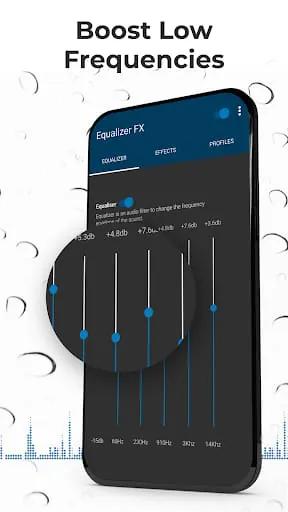
  • Frequency Bands: Adjusting specific frequency ranges (e.g., bass, mid, treble) to sculpt the sound.
  • Gain Control: Amplifying or attenuating the signal strength in each frequency band.
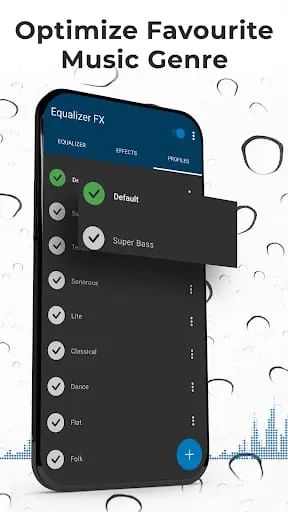
  • Presets: Utilizing pre-configured settings for different music genres or listening environments.

Effective equalization involves understanding the relationship between frequency ranges and the perceived sound. Over-boosting certain frequencies can lead to distortion, while excessive attenuation can result in a loss of detail.

Perceptual Audio Quality

The perceived quality of audio is subjective and depends on individual preferences and listening environments. While the application allows for significant customization, it's crucial to understand how adjustments affect the overall soundstage.

Advantages
  • Customizable frequency settings
  • Preset options for various scenarios
Disadvantages
  • Potential for audio distortion with improper settings
  • Requires understanding of audio principles for optimal use
Practical Application and Insight

Learning to effectively use an equalizer involves experimentation and critical listening. Start with subtle adjustments and gradually refine the settings to achieve the desired sound. Understanding the frequency spectrum of different instruments and vocal ranges can greatly enhance the equalization process.

Technical limitations and system resources

The application's performance is contingent on the device's hardware capabilities. Older devices may experience performance issues such as latency or increased battery consumption.

Aspect Considerations
Battery Usage Higher CPU load during processing
Latency Potential delays in real-time audio processing

Concluding Observations

This application offers a valuable toolset for audio enhancement, requiring understanding and wisdom to unlock its full potential. Proper use can dramatically improve audio quality. However, improper use can degrade the listening experience.

Description

Equalizer FX - Music Equalizer and Volume Booster is an app that allows you to adjust the sound effect levels to get the best out of your music. The app includes a music equalizer, bass boost, virtualization, volume booster, and 12 presets. You can also create your own presets. The application works with music players and audio streaming services like Pandora, Spotify, TuneIn Radio, VK, etc. The app is not working with FM radio. The sound enhancer app allows you to improve the sound quality of your android device to get a more enjoyable music experience. The app is a must-have as an audio enhancer. The ultimate music equalizer is a high-quality audio booster and sound enhancer. Enjoy every second of listening with the ultimate music equalizer! To get equalizer work on Lollipop go to applications settings and select all applications. Find the MusicFX application, clear the Application data for this application and then install Equalizer FX. After that when you start the music player and select the music equalizer option new Equalizer FX will be available. Use our loudness enhancer - volume booster with extra caution. Volume booster will significantly improve loudness, you better be ready for it! Music equalizer and sound booster for the best listening experience!

All Versions

V3.8.8.1

Updated: 2024-2-22

16.82 MB

V3.8.8

Updated: 2023-6-21

17.91 MB

V3.8.7.4

Updated: 2023-4-28

7.56 MB

V3.8.6

Updated: 2022-11-9

7.57 MB

Summary Of User Reviews

Steven Gates
Steven Gates
September 16, 2025
Was just searching for an equalizer that would work with the Roku app. This dev actually asks for a credit card as part of the registration regardless of your intent to be a paying subscriber or not! STRIKE ONE❗ And then, after installation, I am not allowed to try it without an ad for a stupid car/traffic game appearing... AND YOU CAN'T BYPASS OR GET OUT OF THE GAME AD!!! STRIKE TWO❗I don't need to wait around for a third strike. Pulling the ejection handle on this one. Adios❗
Alfred Scamman
Alfred Scamman
May 5, 2021
News flash, guys: you're not the only game in town. For prospective users, hardware EQ controls in Android are presented through API, thus many apps are capable of using them. This includes bass boost and stereo expansion controls which the last update made unavailable for non-paying users (as if that wasn't the point of letting devs flash ads at us). I suggest you look for another app, or use a media player with a built-in EQ; this app has jumped the shark.
Gregory Chasteen
Gregory Chasteen
August 11, 2021
I had this app on my last phone for 2 years, and removed it when I switched phones in late 2019. It was the best sound booster & equalizer anywhere on Play Store. Noone was touching it. It had tons of features, was easy to use, and sound was never distorted. Oh, and back then there were no ads and most features were free. To go from the best, to the rest...what were they thinking?