HomeSmart Home Manager
Smart Home Manager

Smart Home Manager

Everyone
Rating
V2.2408.395
Version
5M+
Installs
4.50
25.4k + Reviews
1
9%
2
1%
3
2%
4
12%
5
76%

Review By AppsWm

Smart Home ManagerSmart Home ManagerSmart Home ManagerSmart Home Manager

Simplifying Life with Seamless Control

This application aims to centralize the management of your smart home devices, offering a user-friendly interface to control everything from lighting to security systems. The core promise is enhanced convenience and peace of mind.

Enhancing Security and Comfort

The ability to remotely monitor and control your home provides a sense of security, especially when traveling or away for extended periods. Features like real-time alerts and the ability to check camera feeds can be incredibly reassuring.

Tailoring Your Environment

One of the most significant advantages is the ability to customize your home environment to suit your preferences. Adjusting lighting, temperature, and even music settings remotely can create a welcoming atmosphere before you even arrive.

Connecting and Coordinating

The app facilitates a better connection with your home and loved ones by enabling you to check on things and manage the environment for them, ensuring their comfort and safety. For example, adjusting the thermostat for elderly relatives or checking that children have arrived home safely.

Learning and Adapting

By tracking your usage patterns, the app can offer insights into your energy consumption and help you optimize your settings for greater efficiency. This fosters a sense of awareness and encourages more sustainable living habits.

Potential Benefits
  • Increased sense of security and control
  • Enhanced comfort and convenience
  • Improved energy efficiency
  • Greater peace of mind

Potential Drawbacks
  • Reliance on technology can be frustrating when issues arise
  • Potential privacy concerns if not properly secured
  • Initial setup can be complex for some users

Overall Impression

This application has the potential to significantly improve the lives of its users by providing a centralized and user-friendly interface for managing their smart home devices. While there are potential drawbacks to consider, the benefits of increased security, comfort, and convenience make it a compelling option for those seeking to simplify their lives and enhance their connection to their homes.


Description

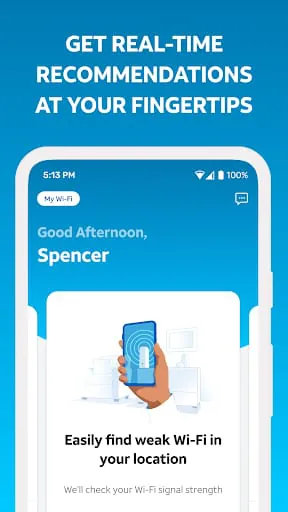
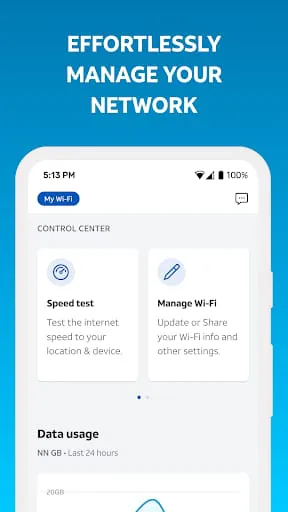
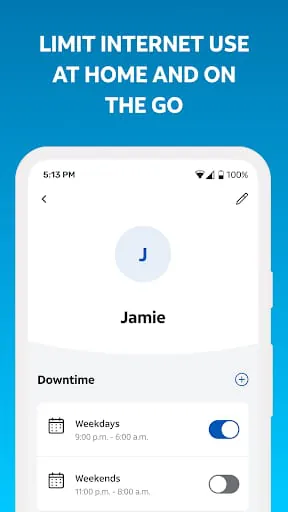
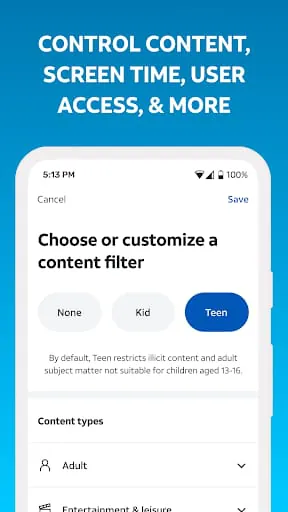
AT&T has launched a new version of its Smart Home Manager, which offers more ways to personalize and manage your home network. As an AT&T Internet customer, you can customize your home Wi-Fi network and get a complete view from your smartphone. The user-friendly interface provides real-time tips and tools for troubleshooting, making it easy to manage your network without the need for a technician. With Smart Home Manager, you can easily view and update your Wi-Fi network name and password, see what devices are connected to your network, personalize all your device names, and create profiles with parental controls and downtime schedules to manage your family’s screen time at home. You can even pause Wi-Fi access for any of your devices, test the internet speed to your home Wi-Fi gateway, and pinpoint weak signal spots throughout your home. AT&T Smart Home Manager is available to AT&T Internet service customers with a compatible AT&T Wi-Fi Gateway. Feature availability is based on the Wi-Fi Gateway model and is limited to the home Wi-Fi network. With Smart Home Manager, you can enjoy clear, technician-free troubleshooting and get notified of any issues or service outages. You can also restart your Wi-Fi gateway and more, making it a comprehensive tool for managing your home network. In conclusion, AT&T’s Smart Home Manager is a powerful tool for managing your home network. With its user-friendly interface, you can troubleshoot issues, personalize your network, and manage your family’s screen time. The tool is available to AT&T Internet service customers with a compatible Wi-Fi gateway and offers a range of features, including parental controls, device naming, and internet speed testing. With Smart Home Manager, you can enjoy a hassle-free experience managing your home network.

All Versions

V2.2408.395

Updated: 2024-9-6

61.94 MB

V2.2408.391

Updated: 2024-8-21

61.92 MB

V2.2405.375

Updated: 2024-5-22

67.47 MB

V2.2404.357

Updated: 2024-4-17

67.45 MB

Summary Of User Reviews

Michelle Springer
Michelle Springer
February 16, 2026
Unusable. Takes ages to log in, biometrics are enabled but never work/prompt for login, my device is connected directly to the WiFi gateway, but I can't manage my WiFi because it says it cannot communicate with the gateway and the only solution it offers is to restart the gateway. I have yet to find any useful purpose for the app so far, since it can't even do basic things like log in properly in the format I want. (I have cleared the app cache and reinstalled, same issue on desktop)
Alan McCrary (ZERO450)
March 7, 2026
First issue I've had is while opening the app, sometimes it requires me to select my account twice like it didn't recognize when I selected it the first time (even though it shows the loading icon). Second issue I have is even though I've done all sorts of troubleshooting, there are specific devices the app won't actually shut off Wi-Fi to. It will say it's been paused but the devices continue to have Internet access. This app has great features but they only seem to kinda work.
Dharmendra kumar
Dharmendra kumar
February 25, 2026
Even after enabling the biometric login, every time it asks for login id and password. Worst feature is it's "Keep me logged in", not sure why it has been provided when it cannot keep you logged in after selecting. Seems like, trying to provide maximum security. And even worse, I see most people are complaining here about the same problem and AT&T's only response is to send an email. Do not understand why you can't fix the problem when you are getting these many reports about failing behavior.









