
HomeSwitch Access
Switch Access

Switch Access

Everyone
Rating
V1.14.0.543553192
Version
500M+
Installs
3.70
995 + Reviews
1
27%
2
5%
3
6%
4
6%
5
57%

Review By AppsWm

Switch AccessSwitch AccessSwitch AccessSwitch Access

✨ Growth Catalysts

This tool significantly lowers the barrier to entry for individuals with motor impairments to effectively use Android devices. By providing switch access, it unlocks opportunities for communication, education, and entertainment that might otherwise be inaccessible.

  • Transformative Feature: Customizable switch assignments allow users to tailor the interface to their specific physical capabilities, promoting independence and self-efficacy.
  • Evolution Potential: The open-source nature of Android means that community-driven development can further enhance the tool with novel input methods and device integrations.
  • Growth Opportunities: Access to digital tools empowers users to participate more fully in education, employment, and social activities.

📱 Digital Evolution

The application embodies the evolution of accessibility features within mainstream mobile operating systems. It demonstrates a shift from specialized assistive devices to integrated solutions that benefit a broader range of users.

Advantages
  • Seamless integration with Android OS
  • Cost-effective alternative to dedicated assistive devices
  • Regular updates and improvements

Disadvantages
  • Initial setup can be complex
  • Requires compatible switch hardware (not included)
  • Reliance on Android's underlying accessibility framework

🛤️ Transformation Paths

The application offers multiple transformation paths for users. It allows them to control their devices in ways that match their unique needs, fostering independence and reducing reliance on caregivers.

  1. Development Path: Users can gradually increase their proficiency with switch access, leading to greater control and confidence in using digital technology.
  2. Future Capabilities: Integration with emerging technologies such as AI and voice control could further enhance its capabilities.

🚀 Advancement Opportunities

By providing access to the digital world, this tool creates advancement opportunities in education, employment, and personal development. Individuals can access online courses, participate in remote work, and connect with others.

Customizable Scanning Methods

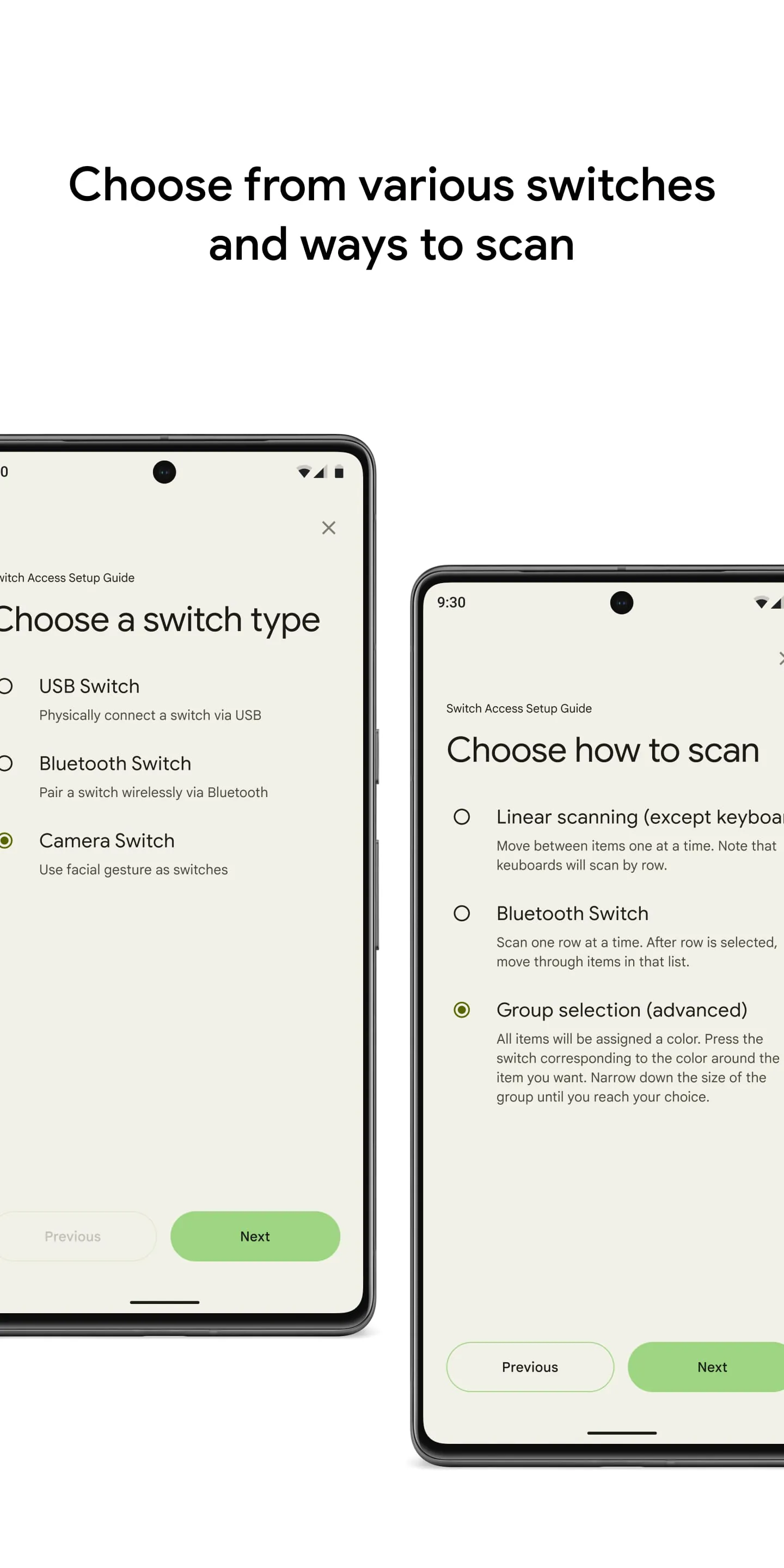
The ability to customize scanning methods (linear, row-column, etc.) allows users to select the most efficient and comfortable input method for their needs, improving overall device usability.

🗓️ Future Readiness

As technology continues to evolve, accessibility tools like this will become increasingly important for ensuring that everyone can participate in the digital economy. The adaptability and customizability of the application position it well for future advancements.

Overall Transformation Value

The application offers significant transformation value by enabling individuals with motor impairments to access and interact with digital devices, fostering independence, and creating opportunities for personal and professional growth.


Description

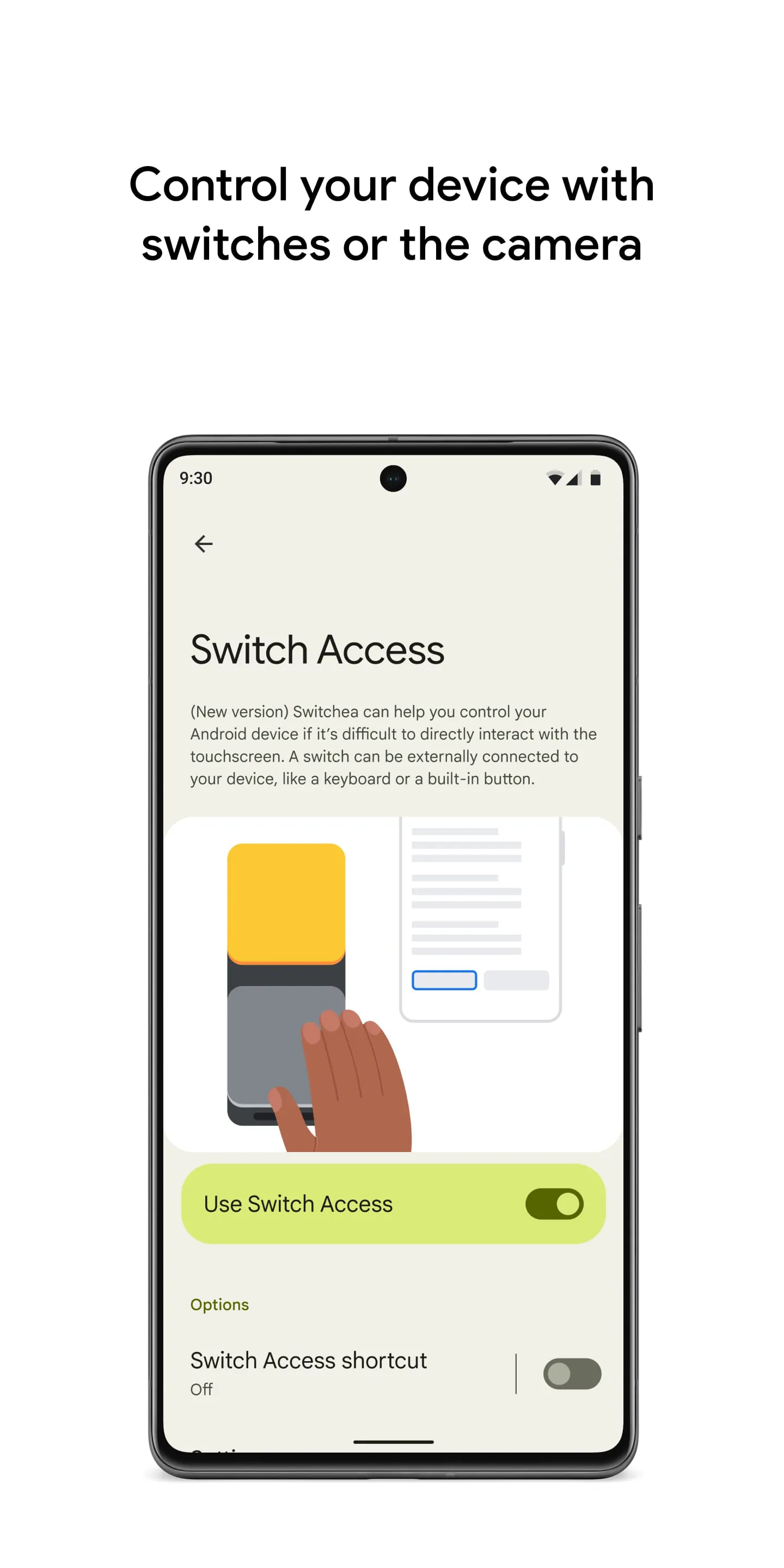
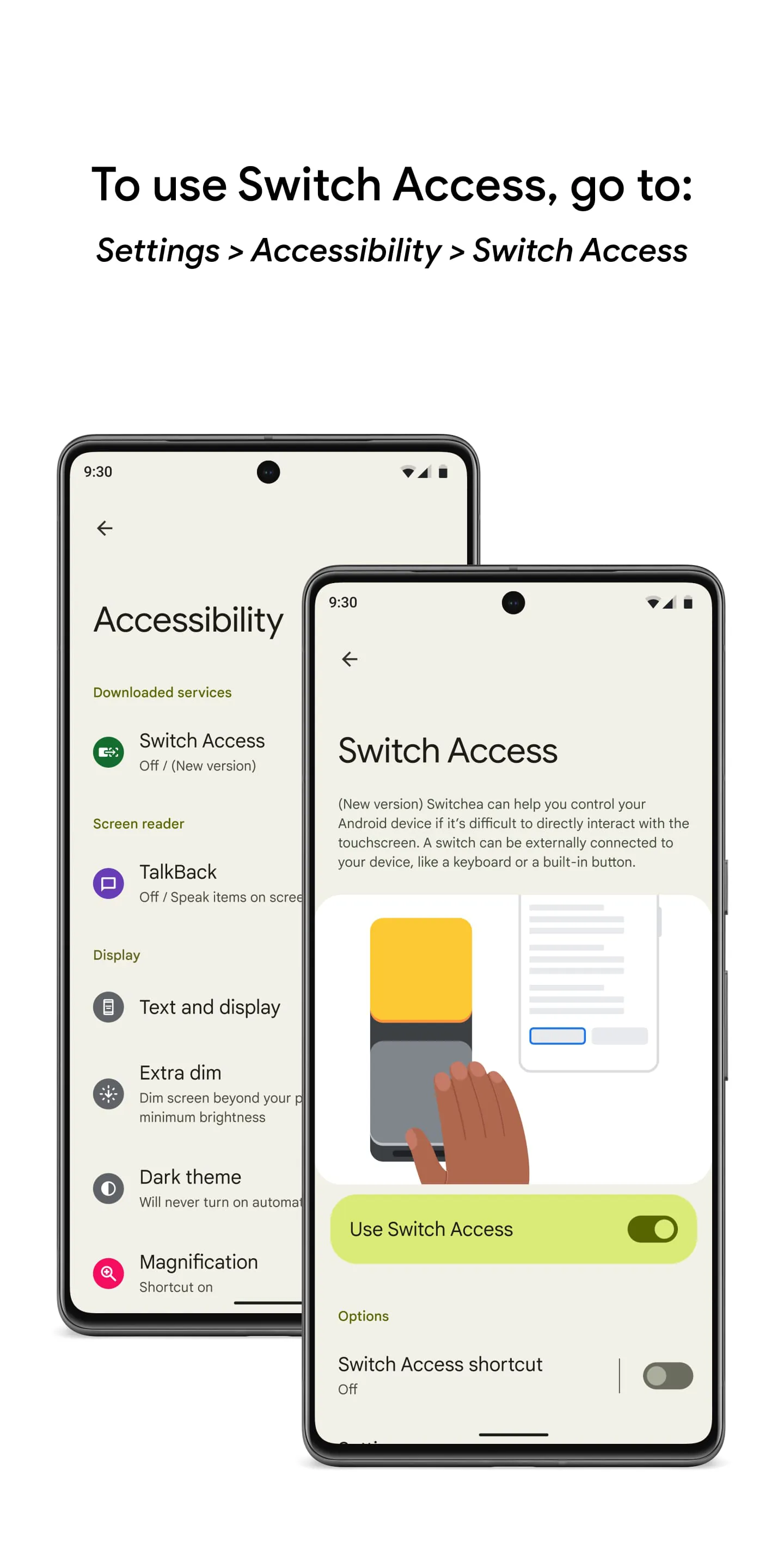
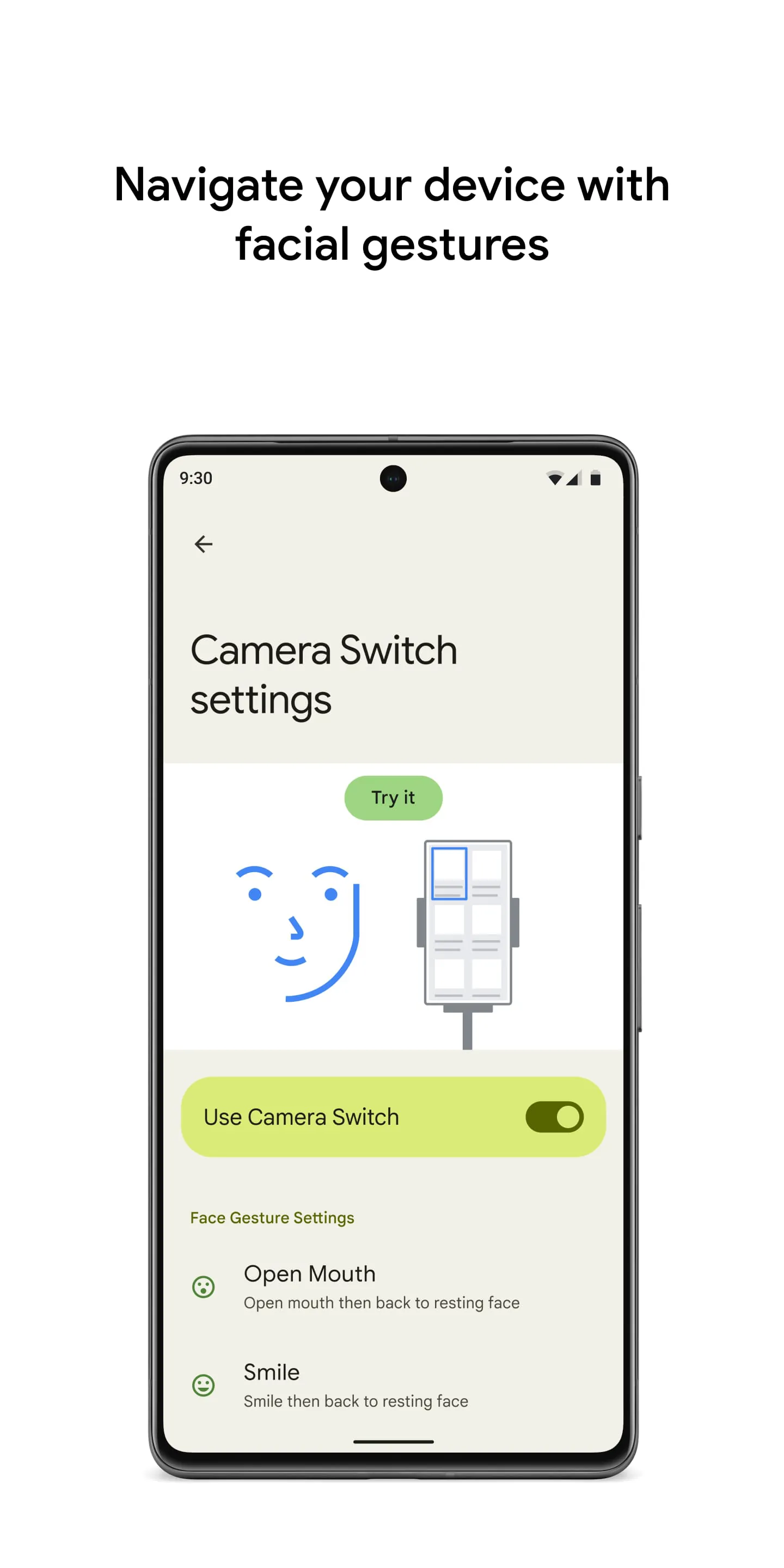
Switch Access is a feature on Android devices that allows users to control their phone or tablet using switches or the front camera. This feature is particularly useful for individuals who are unable to interact directly with the touchscreen. To set up Switch Access, users need to open the Settings app on their device and navigate to Accessibility > Switch Access. They can then choose from different types of switches, such as physical switches like USB or Bluetooth buttons, or camera switches that respond to facial gestures like opening the mouth or raising the eyebrows. Once a switch is set up, users can scan and interact with items on the screen using different scanning methods, such as linear scanning, row-column scanning, point scanning, or group selection. When an item is selected, a menu with available interactions will appear, allowing users to perform actions like selecting, scrolling, copying, pasting, and more. There is also a menu at the top of the screen that helps users navigate their device, such as opening notifications, going to the home screen, or adjusting the volume. Additionally, users can use Camera Switches to navigate their phone using facial gestures captured by the front camera. They can customize the sensitivity and duration of each gesture to suit their needs. Furthermore, users have the option to record touch gestures and assign them to a switch or start them from a menu. This allows for the execution of frequent or complex actions with a single switch, such as swiping left twice to turn two pages of an ebook. It is important to note that the Switch Access app requires certain permissions, such as observing user actions, retrieving window content, and observing typed text, due to its nature as an accessibility service.

All Versions

V1.15.0.647194712

Updated: 2024-6-26

4.7 MB

V1.14.0.543553192

Updated: 2023-7-10

10.23 MB

V1.14.0.531370793

Updated: 2023-5-11

10.23 MB

V1.13.0.502298773

Updated: 2023-1-15

9.94 MB

Summary Of User Reviews

M and R
M and R
January 10, 2026
Not again... Yikes! This app gives you access to internal switches that developers use. It also gives others access to your switches too. I don't know how this managed to get installed, but it gives me nightmares. I can't even delete the app? Please ensure it is attacked by a tribe of wild bananas (who my auto fill suggests should sue the developer).
Regina Gilbert
Regina Gilbert
October 29, 2025
Not sure how I'm supposed to give something that just randomly appears in my apps menu that I have never even used and not sure how long it's even been there any # of stars.... But, I gave it the lowest possible because, BOTTOM LINE ILL ADD WHAT AND WHO I WANT TO MY LIFE AND PHONE!!!! And, to add an app without my permission feels invasive, and makes me highly suspicious!!
Mv
Mv
December 10, 2025
I have no idea what this does. It is installed by default on my device, I cannot remove it. Probably, it is another feature from google. I have Android Auto, Android This, Android That, a lot of accessibility services, all "hidden" apps from google like this one. I want my phone to allow full control, however, I can't, because of those. Having to "root" a device so it feels really yours annoys me, and if you all stopped bloating my system with "mini-apps", it would be much less uncomfortable.